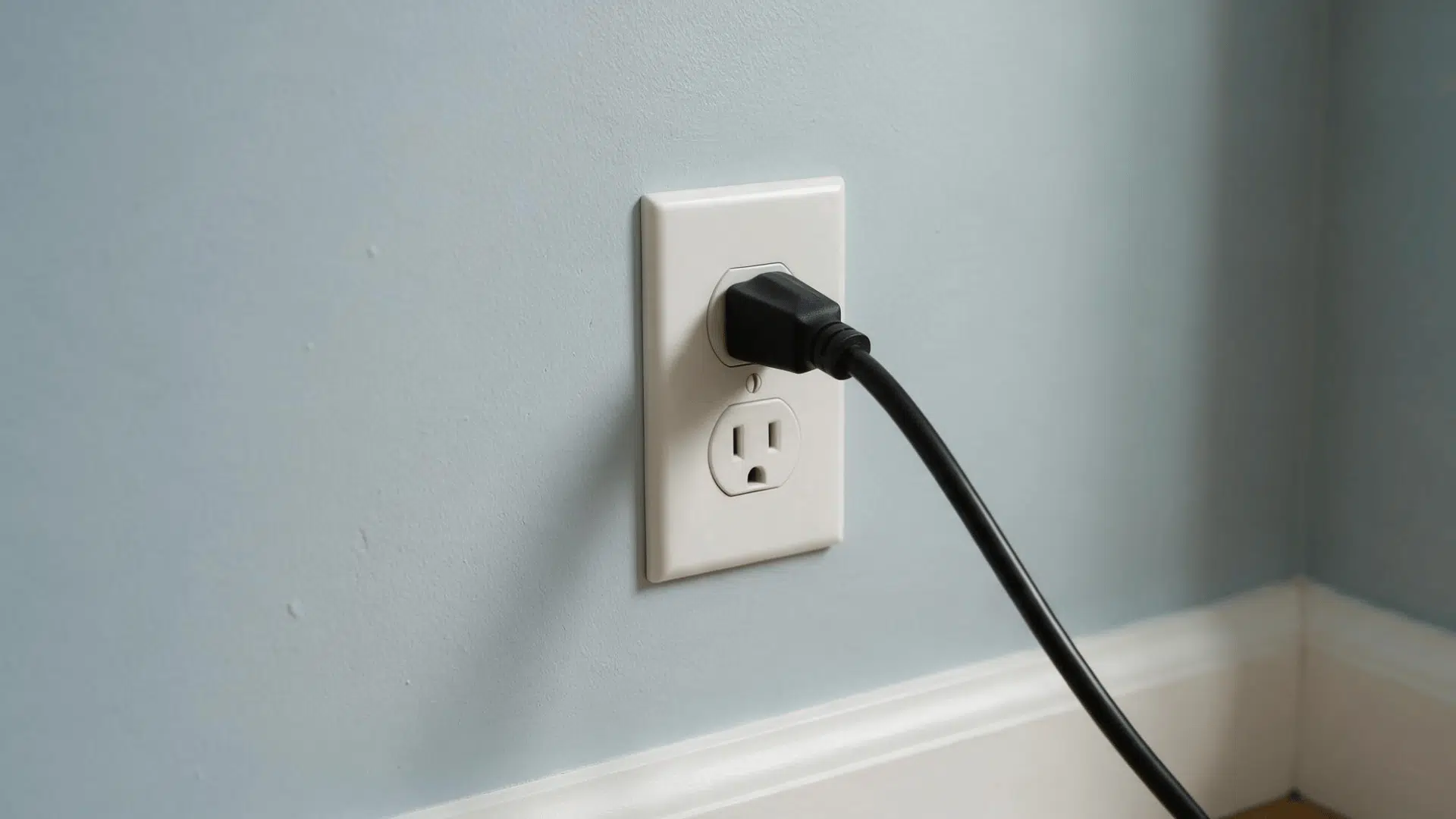
You expect the things you use every day to work without a second thought. So when something stops responding, even a small interruption can leave you searching for answers.
Electrical issues often appear at unexpected moments. A quick task can turn into a frustrating pause when you are unsure what changed or what to check first.
I have noticed that knowing where to begin can make these situations feel much less overwhelming. A little awareness of why an outlet isn’t working can help you approach the issue with more confidence.
Why Is My Outlet Not Working?
An outlet may stop working because of a tripped breaker, a GFCI outlet that needs to be reset, an overloaded circuit, or a problem with the outlet itself. These are some of the most common reasons power stops reaching a plug.
In some cases, the issue can come from a loose connection, damaged outlet parts, or wiring problems behind the wall. These problems may prevent electricity from flowing properly.
If you have an outlet not working, start with simple checks first. Looking at the breaker panel, testing nearby GFCI outlets, and checking for visible damage can help identify the cause.
An electrical outlet not working does not always mean a major repair is needed. Finding the right signs can help you understand the issue and choose the safest next step.
Safety Measures to Take Before Troubleshooting an Outlet
Before troubleshooting any electrical outlet, follow these safety steps. Even a simple outlet not working issue can involve electrical risks.
- Turn off power first: Shut off the breaker before touching wiring or removing outlet covers.
- Keep everything dry: Use dry hands and tools when checking outlets.
- Avoid damaged outlets: Do not use outlets with cracks, burn marks, or melted parts.
- Stop if you see warning signs: Do not troubleshoot if you see sparks, smoke, heat, or smell burning.
- Use testers carefully: Follow the instructions when checking for power.
- Know your limits: Stop if the issue goes beyond basic checks.
Troubleshooting Steps for a Non-working Outlet
If you have an outlet not working, start with the simplest checks before moving to more involved steps. These checks can help you determine if the issue is the device, the power supply, or the outlet itself.
Step 1: Test the Outlet With Another Device
Start by checking if the outlet is the problem or if the plugged-in device has stopped working. Use a working lamp, phone charger, or another small device to test the outlet.
You can also plug the original device into another outlet that you know works. This simple check helps confirm if the outlet has lost power or if the device is the issue.
Tip: Avoid testing with a device that may be electrically damaged, as it can make troubleshooting harder.
Step 2: Check Other Outlets and Lights Nearby
Look around the room to see if nearby outlets or lights are also not working. If multiple areas have lost power, they may share the same circuit.
If only one outlet has stopped working, the problem may be limited to that location. This can help you decide what to check next. Make a quick note of which outlets and lights are affected. It can help identify the source of the problem.
Step 3: Reset Any Nearby GFCI Outlet
A GFCI outlet can shut off power when it detects a safety issue, such as a change in electrical flow. You often find these outlets in kitchens, bathrooms, garages, basements, and outdoor areas where moisture may be present.
Look for an outlet with “Test” and “Reset” buttons. Press the reset button firmly, then test the outlet again to see if power returns. If other nearby outlets also aren’t working, resetting the GFCI may solve the issue.
Step 4: Check the Circuit Breaker Panel
A tripped circuit breaker is one of the most common reasons an outlet stopped working. Check your electrical panel for a breaker that has moved to the middle position or appears switched off.
Reset the breaker by moving it fully to the off position first, then switching it back on. After resetting, test the outlet again to see if power has returned.
Tip: If the breaker trips again right away, avoid resetting it repeatedly. It may signal an electrical issue that needs further attention.
Step 5: Look for an Overloaded Circuit
Too many devices connected to one circuit can cause an outlet to stop working. High-power items like space heaters, microwaves, hair dryers, and large appliances can use a lot of electricity.
Unplug some devices and move them to another outlet if possible. Reducing the load may help restore power and prevent the circuit from shutting off again.
Step 6: Inspect the Outlet for Visible Damage
Look closely at the outlet for signs that it may be damaged. Do not touch the outlet if you notice anything unusual. Visible damage may mean the outlet needs repair or replacement.
Check for:
- Cracks
- Burn marks
- Melted plastic
- Discoloration
- Loose faceplates
Step 7: Check for Signs of a Loose Outlet
A loose outlet can cause power problems over time. If plugs fall out easily or the outlet moves when you plug something in, it may need attention.
You may also notice power cutting in and out when using certain devices. Don’t ignore a loose outlet, because it can lead to bigger electrical problems later.
What If the Outlet Still Does Not Work?
If basic checks don’t restore power, the problem may be deeper than a simple reset. A dead outlet can sometimes point to issues with the outlet itself, the circuit, wiring behind the wall, or a problem connected to the electrical panel.
The table below can help you understand what a persistent outlet issue may mean and what steps to consider next.
Possible Cause | What It Means | Recommended Action |
|---|---|---|
Loose wiring connection | Power may not reach the outlet | Get it inspected |
Damaged outlet | Outlet parts may have failed | Replace the outlet |
Faulty breaker | Breaker may not supply power | Get an electrical check |
Wiring problem | Hidden issue in the circuit | Call an electrician |
Signs Your Outlet Problem May Involve Wiring
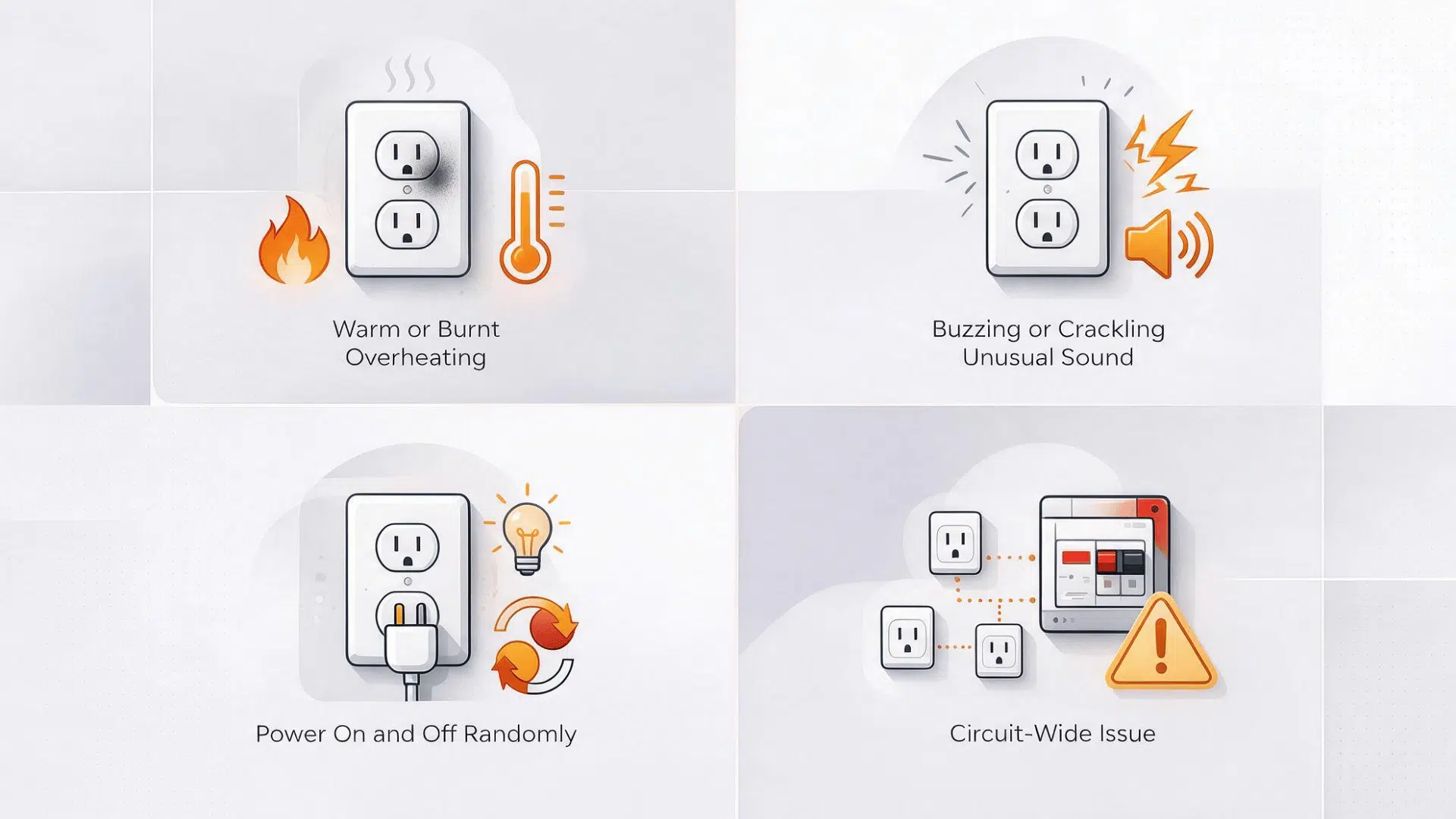
Sometimes, an outlet not working issue can be connected to problems hidden behind the outlet. Outlet wiring issues may affect how power reaches the outlet and should be handled carefully.
1. The Outlet Feels Warm or Smells Burnt
An outlet should stay cool during normal use. Heat or a burning smell can warn of a problem with the outlet or its connection. These signs may appear slowly or happen suddenly.
Paying attention early can help prevent a small issue from becoming a bigger concern. Turn off the power if needed and have a professional check the issue.
Signs:
- Warm outlet cover
- Burn marks or dark spots
- Burning plastic smell
- Melted areas around the outlet
2. The Outlet Makes Buzzing or Crackling Sounds
A working outlet should not make unusual noises. Buzzing, popping, or crackling sounds may point to a loose connection or damaged internal parts.
These sounds can happen when electricity doesn’t flow through the outlet properly. They are not normal during use. Stop using the outlet until you understand the cause.
Sounds:
- Buzzing when a device is plugged in
- Crackling from the outlet
- Popping during use
- Intermittent clicking
3. The Power Turns On and Off Randomly
An outlet that works sometimes and loses power at other times may have a connection problem. Loose wiring or worn outlet parts can interrupt the flow of electricity.
This issue can be difficult to notice because the outlet may work normally at first. Watching when the power cuts out can help identify the pattern. Avoid relying on an outlet that repeatedly loses power.
Signs:
- Devices shut off unexpectedly
- Power returns without a reset
- Outlet works only sometimes
- Flickering power from devices
4. Several Outlets Stop Working Together
When multiple outlets lose power at once, the issue may involve the circuit rather than one outlet. A breaker problem, GFCI shutdown, or wiring issue could affect several locations.
This often points to a larger power issue in that area. Checking nearby controls can help narrow down where the problem starts. If power does not return, the circuit may need further evaluation.
Possible causes:
- Tripped circuit breaker
- GFCI shutdown
- Circuit overload
- Wiring issue
When Should You Replace an Outlet?
You may need to replace an outlet when basic troubleshooting doesn’t solve the problem or when the outlet shows signs of damage. If an outlet not working issue keeps returning, replacing the outlet may be a better option than continuing to reset it.
Consider replacing an outlet when:
- It has visible damage: Cracks, broken parts, or melted areas can affect safe use.
- It feels hot during use: Excess heat may point to a problem with the outlet.
- It has burn marks: Dark spots or discoloration can signal electrical damage.
- Plugs no longer fit securely: Loose plugs may mean the outlet parts are worn.
- It keeps failing after resets: Repeated problems may mean the outlet needs replacement.
When Should You Call an Electrician?
Some outlet problems go beyond basic troubleshooting. If you have an outlet not working after simple checks, or you notice signs of damage, it may be time to get professional help.
Warning Sign | What It May Mean | Next Step |
|---|---|---|
Breaker keeps tripping | Circuit problem | Get it inspected |
Sparks or smoke appear | Possible safety risk | Stop using the outlet |
Exposed wiring | Damaged connection | Call an electrician |
Several outlets lose power | Larger circuit issue | Check the system |
Outlet stays dead | Deeper electrical fault | Consider electrical repair |
Cause is unclear | Problem needs diagnosis | Get professional help |
How to Prevent Future Outlet Problems
A few simple habits can protect your electrical outlets and reduce the chance of repeat outlet problems. Small signs are easier to handle when you catch them early.
I find it helpful to treat unusual outlet behavior as a warning, rather than waiting for the power to fail completely.
- Avoid overloading circuits: Spread high-power devices across different circuits when possible.
- Replace damaged cords: Frayed or cracked cords can create extra electrical risk.
- Keep outlets dry: Keep water and moisture away from outlets and plugs.
- Test GFCI outlets regularly: Use the test and reset buttons to make sure they respond correctly.
- Act on heat or noise early: Check buzzing sounds, warmth, or burning smells right away.
Final Thoughts
Getting a small part of your home working again can make everyday tasks feel normal once more. After dealing with an unexpected issue, knowing what to look for can bring a little more confidence.
I have found that the best approach is to stay aware of changes and avoid ignoring small warning signs. Those details can help you make safer choices before a small concern becomes a bigger one.
A nonworking outlet may be inconvenient, but careful attention and the right next steps can help you restore power safely and get back to your routine.
Frequently Asked Questions
Why Is My Outlet Not Working Even Though Other Outlets Have Power?
A single outlet may fail because of a damaged outlet, loose connection, or a local circuit issue.
Can a GFCI Outlet Affect Outlets In Other Rooms?
Yes, one GFCI outlet can sometimes control other outlets connected to the same circuit.
How Long Do Electrical Outlets Usually Last?
Most outlets can last for many years, but frequent use, damage, or loose connections may shorten their lifespan.
Can a Power Strip Cause an Outlet to Stop Working?
Yes, overloading a power strip can trip the circuit or create problems with the outlet.