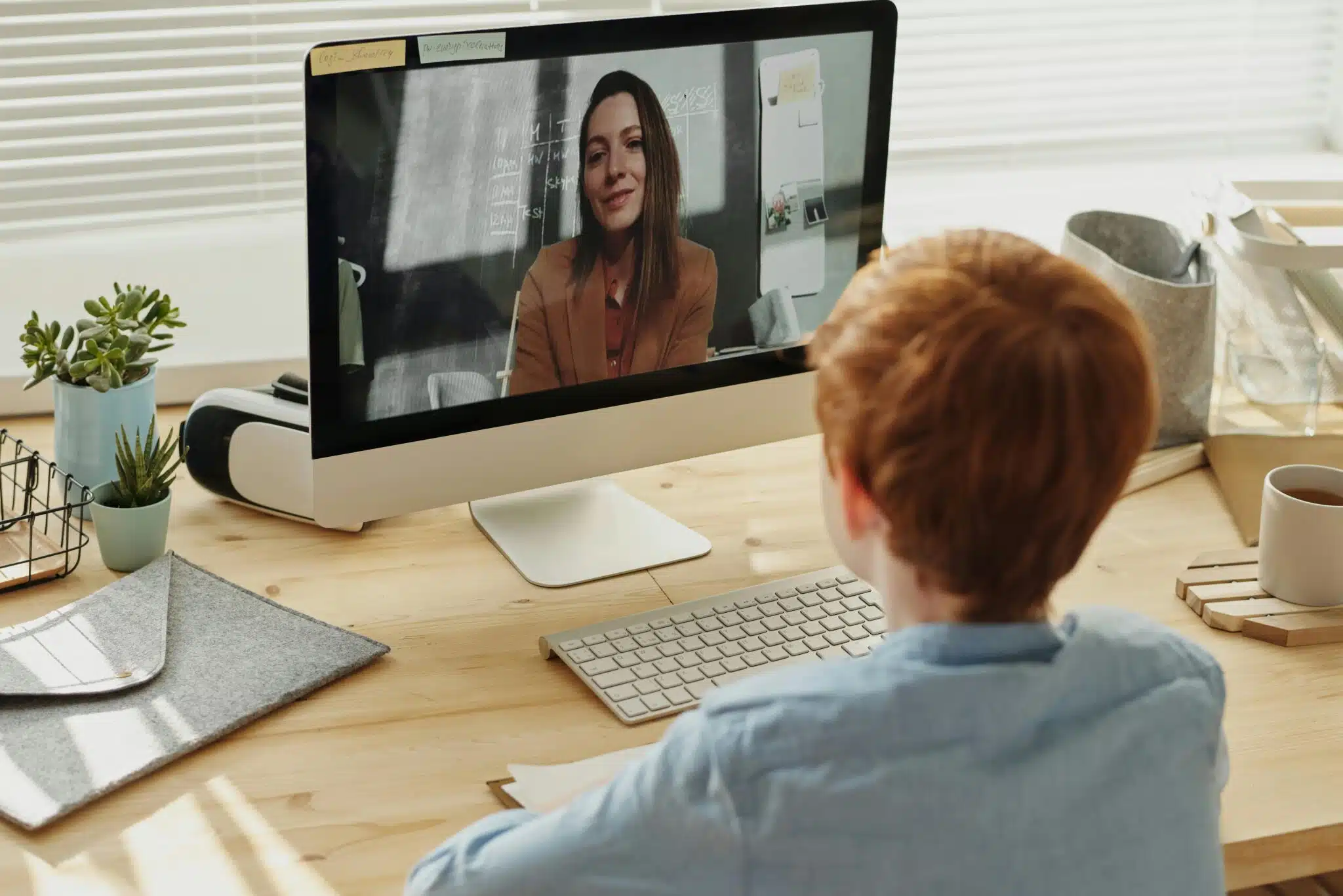
Remote tutors, translators, and virtual assistants spend the majority of their day staring at screens. Laptops are the simple solution for most people, as they are light, easy to carry, and have zero setup time.
The problem is that laptop screens can start to feel like a claustrophobic environment, whether you’re reading, video calling, or trying to take notes.
A portable monitor is a simple solution. It provides you with more screen space without locking you into a cumbersome desktop PC. If you are a remote worker that cares about comfort, focus, and mobility, the right portable monitor can help you work more comfortably and with less stress.
Why Portable Monitors Matter for Remote Work
Remote professionals usually do at least two things at once. Tutors may be on video with a class while glancing over lesson notes. Translators are frequently working with two documents side by side. Online assistants may switch between email, dashboard, and chat tools all day long.
Working with two windows on a single laptop display is more difficult. The windows overlap, the text looks squished together, and your eyes tire out faster. A portable monitor frees up space to organize your work and focus on it for a longer period of time.
Workers will sometimes also choose a portable monitor with battery so that they can work in locations with limited electrical outlets. This can be useful for coworking offices, travel, or brief work periods away from home.
How We Chose These Top 5 Monitors
This list of the top 5 portable monitors focuses on monitors that meet real remote work needs, not gaming or casual use. The main points considered were:
- Clear text for reading and writing
- Comfortable size for long sessions
- Easy setup with laptops
- Fair pricing for remote professionals
- Good user feedback over time
Each monitor below fits at least one major remote-work use case.
1. UPERFECT UCOLOR O LITE

This monitor is a solid option for people who spend long hours reading text or working with documents. The UPERFECT Ucolor O Lite offers a sharp display that makes letters and numbers easy to read without zooming in.
Features:
- 4K OLED screen gives sharp text and clear visuals for daily work.
- Slim and lightweight design makes it easy to carry with a laptop.
- Wide color range helps content look accurate and easy on the eyes.
- Bright display stays clear in well-lit rooms and offices.
- USB-C and HDMI ports allow quick connection with MacBooks and laptops.
Pros:
- Clear text helps reduce eye strain
- Easy to carry for remote and travel work
- Works well for tutors and translators
Cons:
- Smaller screen than large desk monitors
- Not ideal for users who want very wide displays
Price range: $279
User rating: 4.6/5
The uperfect ucolor O Lite fits professionals who want quality visuals without carrying heavy equipment.
2. LENOVO THINKVISION M14t Gen 2

This monitor is designed with business users in mind. It focuses on reliability and ease of use over extra features.
Features:
- Touch screen support
- USB-C connection for quick setup
- Lightweight and thin design
Pros:
- Easy to connect and start working
- Touch screen helps with note marking
- Good build quality
Cons:
- Screen size feels small for some users
- The touch feature may not be needed by everyone
Price: $329
User rating: 4.5/5
This monitor suits online assistants and tutors who value simple, dependable tools.
3. VIEWSONIC TD1656-2K

For professionals who work with large documents or spreadsheets, clarity matters. This model offers higher resolution than many basic portable monitors.
Features:
- 2K resolution for sharp text
- Touch screen support
- Wide viewing angles
Pros:
- Text looks clean and easy to read
- Good for multitasking
- Useful for translation and admin work
Cons:
- Slightly heavier than smaller models
- Touch may not be useful for all users
Price: $315
User rating: 4.4/5
This monitor works well for translators who need to compare content side by side.
4. UPERFECT UMAX22

Some remote professionals just want more screen space. The UMax22 offers a larger display while still being portable compared to full desk monitors.
Features:
- 22-inch screen size
- Wide workspace for multitasking
- Supports long work sessions
Pros:
- More room for documents and calls
- Comfortable for extended work
- Useful for home-based remote work
Cons:
- Less compact than smaller monitors
- Needs more desk space
Price: $309
User rating: 4.5/5
5. ESPRESSODISPLAY 15 TOUCH

This monitor is popular among users who prefer touch input for teaching or reviewing work.
Features:
- Responsive touch screen
- Solid build quality
- Works well with laptops and tablets
Pros:
- Smooth touch response
- Helpful for tutoring and marking tasks
- Clean display
Cons:
- Higher price
- Touch is not needed for every job
Price:
User rating: 4.6/5
This option fits tutors who interact directly with content during lessons.
Comparison Table
Monitor | Screen Size | Best For | Power Type | Price Range | Rating |
|---|---|---|---|---|---|
UPerfect UColor O Lite | Compact | Text-heavy work | Laptop powered | Mid–High | 4.6/5 |
Lenovo ThinkVision M14t | 14″ | Business tasks | Laptop powered | Mid | 4.5/5 |
ViewSonic TD1656-2K | 16″ | Multitasking | Laptop powered | Mid | 4.4/5 |
UPerfect UMax22 | 22″ | Large workspace | Adapter | High | 4.5/5 |
EspressoDisplay 15 Touch | 15″ | Interactive work | Laptop powered | High | 4.6/5 |
Choosing the Right Monitor for Your Role
Remote tutors may favor touch screens or ease of reading in their lessons. Translators may favor crisp text and more screen space for reviewing files side-by-side. Online assistants may care about setup time and lightweight portability from task to task.
Battery-powered monitors can be a useful solution for people that need to work in common areas and while traveling. Others may prefer laptop-powered models for a plug-and-play setup on a desk at home. If you’re a user that wants something in between and are willing to pay for a pricier product, an uperfect monitor can work on a desk and with a variety of flexible work styles.
Think About the following Factors to Find the Right Portable Monitor
We recommend that you consider your work hours, location, and tasks before you purchase a portable monitor. Think about your work setup and what you need to accomplish.
The following factors are the most important to consider.
- Some people buy the cheapest portable monitor with a low resolution or poor colors.
- Others have bought a large monitor that takes up too much room at home or work.
It’s easy to spend more than you need to on extras you may never use. Touch screens are nice if you’re a remote tutor or often work with detailed image files, but they can add to the price. High-resolution monitors are great for working with digital documents or video, but they can be overkill for others.
Final Words
Portable monitors are widely used by remote tutors, translators, and virtual assistants. They increase comfort, help avoid eye fatigue, and make your work run more smoothly during the day.
Each model in this review was selected for a specific task. If you have a preference for a compact display or you need more workspace, a portable monitor may be your daily use enhancement without having to alter your current workflow.