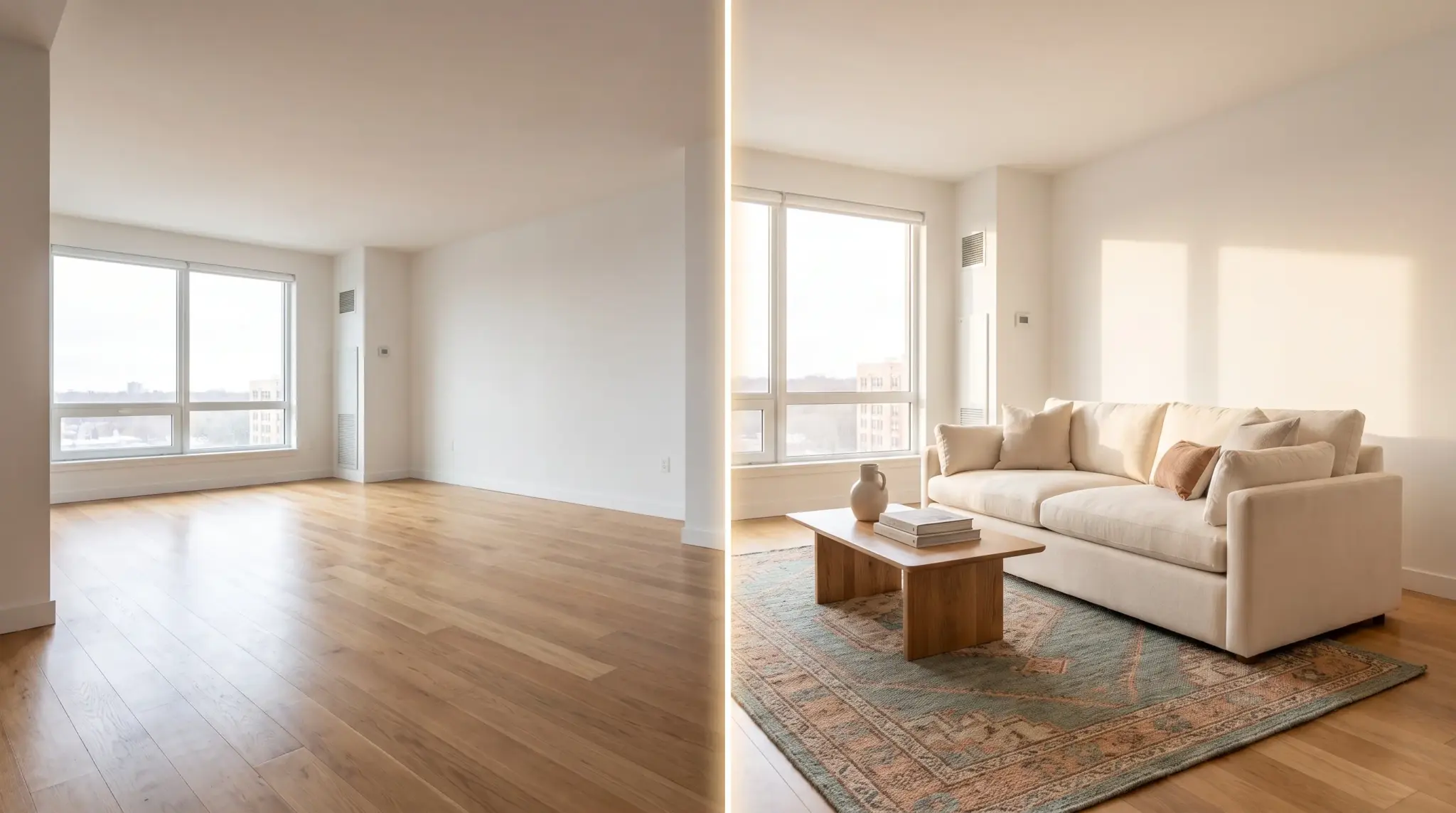
An empty room is hard to read in a listing photo. Without furniture for scale, buyers cannot tell whether a bedroom fits a queen bed or whether the living room seats six.
Virtual staging solves that digitally, adding furniture and decor to a photograph of a real room. It costs a fraction of physical staging and takes minutes rather than days.
It also carries disclosure obligations that are tightening, and getting those wrong is a bigger risk than a badly placed sofa.
Key Takeaways
- Three rooms carry most of the value. Living room, primary bedroom and kitchen, in that order, according to buyer rankings.
- Disclosure is no longer optional in some states. California’s AB 723 requires conspicuous labeling and access to the original image.
- Never alter permanent features. Walls, flooring, fixtures and windows must match what a buyer sees at the showing.
- Consistency across angles matters more than any single image. Three different sofas in one living room undoes the whole set.
- Keep every original file. Some MLS rules require the unaltered photo to display alongside the edited one.
- Review AI output closely. Warped lines, floating furniture and blocked doorways are common and look convincing at a glance.

What Virtual Staging Is, and What It Is Not
Virtual staging is photo editing. A designer or AI tool places sofas, beds, rugs, artwork and other furnishings into an image of a real room.
It is not a renovation. Walls, flooring, fixtures, windows and other permanent features must still match what a buyer will see during a showing. A tool that straightens a genuinely crooked wall or widens a window reveal has stopped staging and started fabricating.
That distinction is the whole compliance question, and it is where most problems begin.
How AI Virtual Staging Works
Photograph each room in clear, even light. Corner angles usually make the room’s shape easier to understand than a flat wall-on shot.
Choose one design style that suits the property, price range and neighborhood, then use it throughout the listing.
Remove existing furniture digitally if the room is occupied or cluttered. Most tools now do this automatically.
Generate several versions, then check furniture scale, placement, lighting and shadows against the original.
Export both the finished image and the untouched original. You will need the original for disclosure and possibly for the MLS itself.
What to Check Before You Accept an Image
Warped lines where furniture meets walls. Doors or walkways blocked by placed objects. Furniture floating slightly above the floor. Shadows falling in a direction the room’s light does not support. Objects overlapping permanent features.
AI-generated details look convincing at first glance and still contain errors. Reviewing at full resolution takes two minutes and prevents the version of this that ends up on a complaints forum.
Who Commissions This Work
The buyer is not always a listing agent, and the disclosure position differs by use.
Property managers increasingly use virtual staging for rental listings, where turnover is frequent and physical staging never makes sense. Developers use it for pre-construction marketing. Investors use it when flipping a property that shows badly empty.
A rental listing carries different obligations from a sale listing, and pre-construction imagery is governed differently again. Check the rules for your specific use rather than assuming the sale-listing standard applies.
The Rooms That Matter Most
The National Association of Realtors’ 2025 Profile of Home Staging found buyers ranked the living room at 37 percent, the primary bedroom at 34 percent and the kitchen at 23 percent as the most important rooms to stage.
Living room. One seating group, a properly sized rug, and a clear path through the room. The most common error is a rug too small for the furniture, which makes the room read as cramped.
Primary bedroom. A correctly sized bed, two nightstands, simple bedding. Oversizing the bed to fill the frame is the classic mistake and buyers notice at the showing.
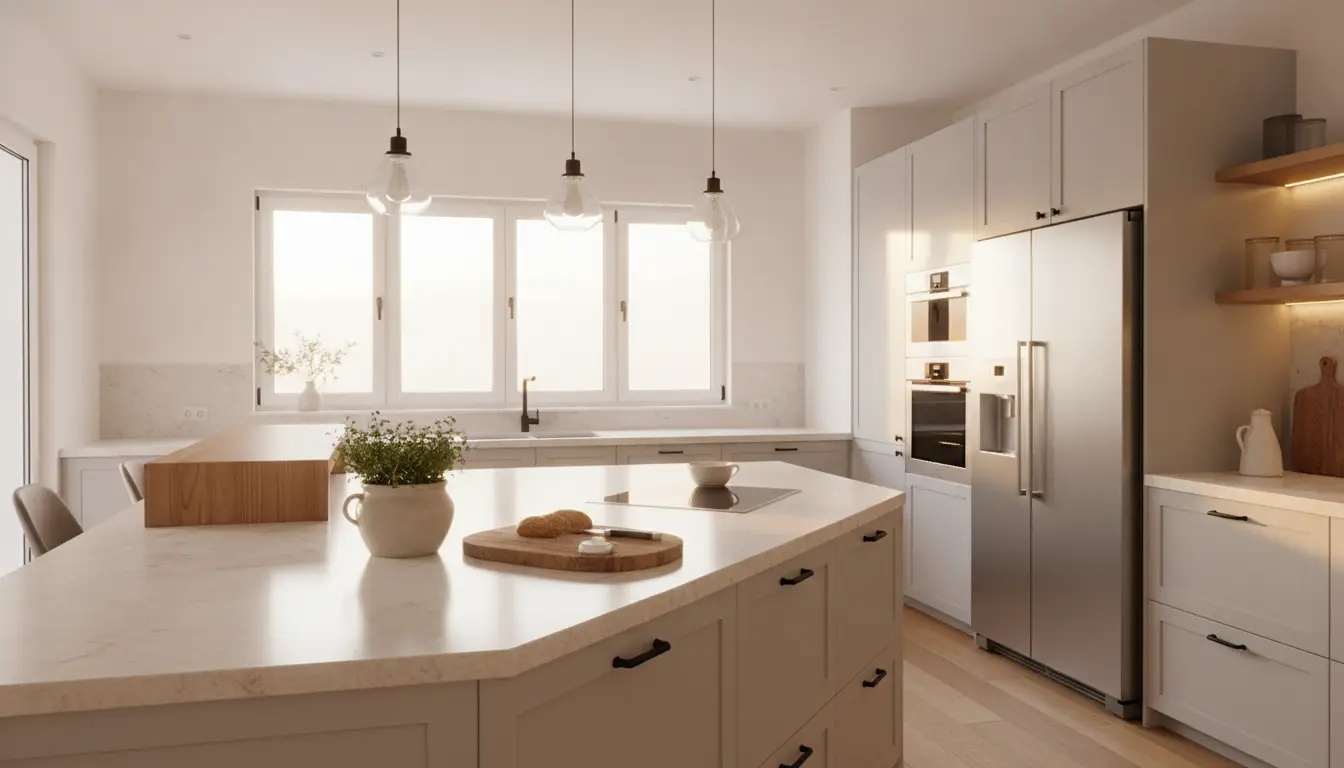
Kitchen. Keep surfaces mostly clear. A couple of stools or a small bowl of fruit is usually enough. Overstaged kitchens read as staged.
The same report found 83 percent of buyers’ agents said staging helped buyers visualize a property as their future home. On a limited budget, three rooms done well beats every image done adequately.
What It Costs
Pricing follows either a per-image model or a credit system, and the credit systems are where budgets go wrong.
Per-image services quote a flat rate. Simple to forecast, more expensive at volume.
Credit systems are volume-gated, so the advertised rate is usually the highest-tier price. A service advertising a low per-image figure may charge substantially more on a small purchase. Model your actual monthly volume before comparing headline numbers.
As listed on vendor pricing pages as of August 31, 2026, BoxBrownie lists virtual staging at $30 per image. VirtualStaging.com lists $24 per photo with a bulk rate of $19.20, and states the first photo on a new account is free. Confirm current price, revision policy, turnaround and image resolution before choosing.
Physical staging costs considerably more. NAR reported a 2025 median spend of $1,500 for professional staging services, against $500 when an agent staged the property themselves.
When a Human Editor Is Worth It
Unusual layouts, luxury listings and rooms with complex architectural detail. Heritage interiors where period accuracy matters. Anything where a mistake would be expensive.
Self-service AI tools handle straightforward rooms well and suit agents processing several images quickly.
Disclosure Rules You Cannot Skip
This section matters more than the rest of the article combined, because the consequences are legal rather than aesthetic.
California’s AB 723, as of August 31, 2026, requires a conspicuous disclosure on digitally altered listing images and access to the original image through a link or QR code. The law applies in California. Other states have different requirements or none.
CRMLS Rule 11.5.2, as of the same date, requires an altered image to be labeled and the original unaltered photo to appear immediately before or after the edited version. MLS photo rules vary by board and region.
Checklist Before Publishing
- Label every digitally edited image clearly
- Keep original files and upload them where required
- Never change or conceal permanent property features
- Add disclosure in the listing remarks where appropriate
- Confirm current rules with your MLS or local board before each listing
The last point matters because these rules are changing. What was compliant last year may not be now.
Tools to Consider
Apply Design is a self-service option built around three things that matter across a full listing rather than a single photo.
Multi-angle consistency lets you replicate a design across multiple images of the same space, which prevents the three-different-sofas problem. AI decluttering removes existing furniture automatically, which matters because most properties are photographed occupied. And a drag-and-drop editor handles what automation gets wrong, letting you add, move, swap and rescale objects rather than resubmitting and hoping.
Turnaround runs around 10 minutes per image, revisions are unlimited, and the catalog covers 18,000+ furniture pieces across living rooms, bedrooms, dining rooms, offices, exteriors and 360 scenes. Both 2D and 360 photos are accepted from any device.
The platform reports over 10,000 properties staged monthly and a 4.8 out of 5 rating on its own site. Its homepage displays Keller Williams, RE/MAX, Compass, eXp Realty, Berkshire Hathaway HomeServices, Douglas Elliman, Engel & Völkers and Long & Foster among the real estate companies it says trust the platform.
Pricing runs from $10.50 per image for full staging with decluttering included, and from $7 per image for a DIY option using the same editor. Both are volume-gated, so smaller purchases cost more per image, and both are available to try free.
Unlimited revisions is the underrated feature here. When a change costs nothing, you iterate to the image you actually wanted rather than accepting the second-best output because the third attempt would cost again.

A Workflow for Your First Listing
- Choose six to eight photos that best explain the property.
- Select one design style and hold it across every image.
- Stage the three priority rooms first, living room, primary bedroom, kitchen.
- Check scale against reality. Compare furniture size against known dimensions in the room.
- Compare angles of the same room for consistency before you accept anything.
- Export staged files with their untouched originals, filed together.
- Upload in the order your MLS requires and add disclosures.
Step four is where most errors survive. A sofa that looks right in isolation can be twenty percent too small for the room, which makes the space read as larger than it is. That is the kind of discrepancy a buyer notices at the showing and remembers.
Frequently Asked Questions
Is Virtual Staging Allowed on the MLS?
Usually yes, with disclosure, but the details depend on your local MLS. CRMLS requires the edited image to be labeled and displayed next to the unaltered original. Check your own board’s rule rather than assuming.
Do I Have to Label Edited Photos?
Requirements vary by state and by MLS. California’s AB 723 requires conspicuous disclosure and access to the original. Many MLS policies also require labeling. Clearly identifying every edited image is sensible practice regardless of where you operate.
Can Virtual Staging Change a Room’s Features?
No. Furniture and decor can be added. Permanent features including walls, windows, flooring and fixtures must remain accurate. Removing a radiator or changing a countertop crosses from staging into misrepresentation.
How Much Does Virtual Staging Cost per Image?
Roughly $7 to $30 depending on the model and whether a human is involved. DIY editors sit at the lower end, automated staging in the middle, human-edited services at the top. Volume-gated pricing means small purchases cost more per image than the advertised rate.
How Long Does It Take?
Automated tools deliver in minutes. Human-edited services run on a queue, typically a day or more. If you are photographing on Tuesday and listing on Wednesday, that difference decides the choice.
Can It Work on Furnished Rooms?
Yes, where the tool includes decluttering. The AI removes existing furniture before staging, which matters because most properties are photographed while occupied.
Does Virtual Staging Actually Help Sell?
NAR’s data shows 83 percent of buyers’ agents said staging helped buyers visualize the property as their home. Virtual staging achieves the visualization at a fraction of the cost, though it cannot replicate the effect of a physically staged walkthrough.
What Resolution Should I Request?
Match or exceed your MLS upload requirement, and keep a higher-resolution version for print. Ask about output resolution before purchase, because some services deliver at web resolution only.
Before You List
Good virtual staging helps buyers understand a room without hiding its condition. Keep the layout realistic, label every edit, retain the originals.
The tools handle the image work. The agent or seller remains responsible for reviewing the results, following local rules and presenting the property accurately, and no vendor takes that responsibility on your behalf.