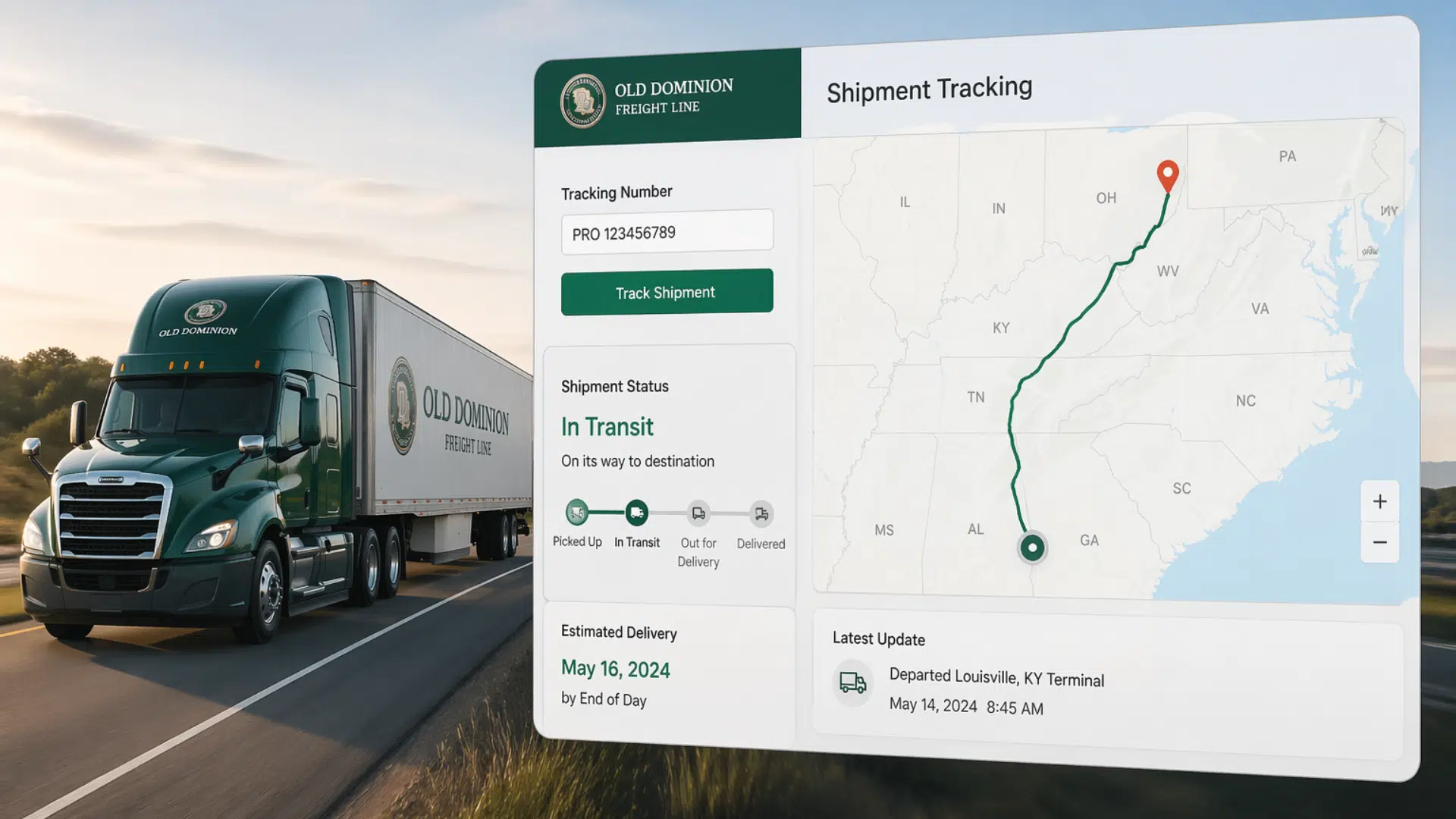
Waiting on a freight delivery can feel a bit stressful, especially when updates are unclear.
That’s where Old Dominion freight tracking comes in. Old Dominion Freight Line is known for shipping across the U.S., and its tracking tools are easy to use.
I like how simple the process is, even for first-time users.
In this guide, you’ll learn how tracking works, where to find your details, and how to fix common issues without confusion.
What is Old Dominion Freight Tracking?
Old Dominion Freight Tracking is a tool that helps you check where your shipment is and when it will arrive. It uses a unique PRO number to show real-time updates.
You can track your freight online in just a few steps, making it easy to stay informed from pickup to delivery.
Why It Matters
- Helps you know the exact location of your shipment
- Reduces guesswork about delivery time
- Makes planning easier for businesses and individuals
- Keeps you updated on delays or changes
- Gives peace of mind during shipping
Where It’s Used
- Bulk Shipment Tracking: Helps businesses track multiple shipments at once without confusion
- Better Delivery Planning: Makes it easier to schedule receiving and manage warehouse space
- Customer Updates: Allows businesses to share accurate delivery updates with clients
- Order Management: Keeps all shipment details organized in one place
- System Integration: Can connect with business tools to automate tracking and updates
How to Use Old Dominion Freight Tracking

Tracking your shipment is simple and takes only a few minutes. All you need is your tracking detail, and you can check updates anytime.
1. Track Shipment on Official Website
Go to the Old Dominion Freight Line tracking page. Enter your PRO number in the search box and click the track button.
The system will show your shipment status, current location, and expected delivery date. This method is the most accurate since it pulls data directly from the carrier.
2. Track Using Old Dominion Pro Tracking
The PRO number is the main tracking ID for your shipment. Enter this number on the tracking page to get real-time updates.
Make sure the number is correct, as even a small mistake can show no results.
3. Track Through Third-Party Tools
You can also use tracking websites like 17TRACK or TrackingMore. These platforms let you track multiple shipments in one place, which is helpful for businesses.
Just enter your PRO number, and the tool will pull tracking details. While convenient, updates may sometimes be slightly delayed compared to the official site.
What is a Pro Number in Old Dominion Tracking?
A PRO number is the main tracking number used by Old Dominion Freight Line. It is a unique ID given to each shipment when it is booked. This number helps you check where your freight is and what stage it is in.
You can think of it like a tracking code for packages, but made for larger freight shipments. Once you enter the PRO number on the tracking page, you can see updates like pickup, transit, and delivery status.
You will usually find your PRO number on:
- Shipping confirmation email
- Bill of Lading (BOL)
- Invoice or receipt
Keeping this number handy makes tracking your shipment quick and easy.
Old Dominion Tracking Status Explained

When you track your shipment, you will see different status updates. These updates show where your freight is and what stage it’s in. Knowing what each status means helps you understand your delivery better.
- Picked Up – Your shipment has been collected from the sender and is now in the system.
- In Transit – The freight is moving between locations on its way to you.
- Arrived at Terminal – It has reached a nearby facility before final delivery.
- Out for Delivery – The shipment is on the truck and will be delivered soon.
- Delivered – The freight has reached its final destination.
- Exception or Delay – There may be an issue like weather, traffic, or address problems.
Most Old Dominion shipments take about 1 to 5 business days, depending on distance and service type.
Short routes may be faster, while longer ones can take more time. Tracking updates usually include an estimated delivery date, but small delays can still happen.
Common Issues & Fixes with Old Dominion Freight Tracking
Sometimes tracking does not work as expected, and that can feel confusing. Most problems are easy to fix once you know what to check.
| Issue | Possible Reason | Quick Fix |
|---|---|---|
| Tracking number not working | Wrong PRO number entered | Double-check the number and try again |
| No updates showing | Shipment not scanned yet | Wait a few hours and refresh |
| Tracking is stuck on one status | Delay in transit or scanning | Check again later or next day |
| Missing PRO number | Not shared by shipper | Contact the sender or check documents |
| Delivery delay | Weather or route issues | Keep tracking for updates or contact support |
If your tracking is not updating or you are missing details, contacting Old Dominion support can help. Their team can check your shipment status and explain any delays.
You can reach out by phone, email, or through their official website contact form.
- Phone Number (Customer Service): 1-800-432-6335
- Visit the Official Website (Tracking & Support) here.
- Email / Contact Form: Old Dominion does not list a direct public email. Instead, use their contact form here.
Make sure to have your PRO number ready for faster assistance. Support is useful when tracking issues do not resolve on their own or when you need clear delivery information.
Conclusion
Tracking your shipment should not feel confusing or time-consuming. With Old Dominion freight tracking, you can quickly check where your freight is and when it will arrive.
From using a PRO number to understanding status updates, the process is simple once you know the basics. I find it helpful to keep tracking details saved so updates are easy to access anytime.
If you are waiting on an important delivery, start tracking it now using the official tool. It only takes a minute and gives clear updates.
Frequently Asked Questions
Can I track multiple Old Dominion shipments at once?
Yes, you can enter multiple PRO numbers on some tracking tools or use third-party platforms to track several shipments together.
Is Old Dominion tracking available on mobile devices?
Yes, the tracking page works on mobile browsers, making it easy to check updates on your phone.
Why does my shipment show ‘arrived at terminal’ for a long time?
It may be waiting for the next route or scheduled delivery, especially during busy periods.