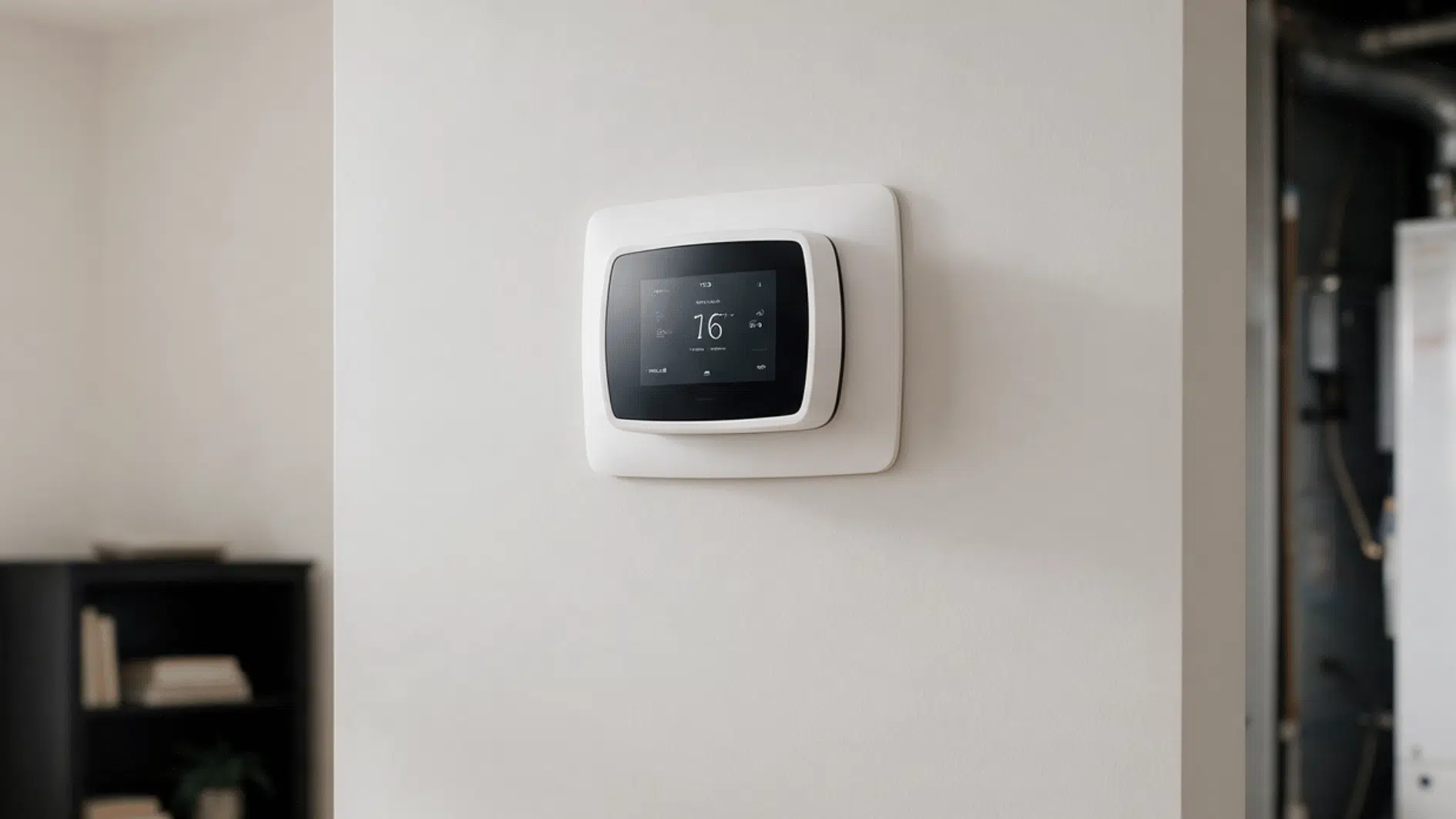
Your thermostat screen goes dark, and the manual just says “check for a C wire” like that’s supposed to mean something.
I remember the first time I heard that phrase. Complete blank stare, followed by way too much time on forums trying to figure out which wire was which.
Turns out it’s not complicated once someone actually explains it. What a C wire on a thermostat does comes down to one simple job: keeping power flowing steadily, even when your system isn’t actively heating or cooling.
So here’s what it does, how to spot one behind your own thermostat, and what your options are if it’s missing.
What Is a C Wire On a Thermostat?
A C wire, or common wire, is a low-voltage wire that provides continuous power between an HVAC system and the thermostat. It completes the electrical circuit by creating a return path for electricity to flow.
Unlike wires that control specific functions, the C wire doesn’t tell the system when to heat, cool, or run the fan. Instead, it supplies the steady power the thermostat needs to operate.
A thermostat needs electricity to function, and the C wire keeps that power flowing even when heating or cooling isn’t actively running, keeping the thermostat ready to communicate with the system at all times.
Why Do Smart Thermostats Need a C Wire?
Older thermostats worked more like basic switches, simply opening or closing a circuit. Many didn’t need constant power at all. I’ve noticed smart thermostats need more electricity because they run several connected features that stay active around the clock. That steady operation is also important when considering how smart thermostats affect HVAC system longevity.
- Wi-Fi Connection: Keeps the thermostat linked to a home network at all times.
- Touchscreen Display: Stays active and responsive rather than powering down between uses.
- Mobile App Communication: Sends and receives data between the thermostat and a phone app.
- Sensors: Continuously monitor temperature, humidity, or occupancy in the background.
- Voice Assistant Controls: Listens for and responds to voice commands in real time.
- Software Updates: Downloads and installs updates without interrupting normal operation.
How Thermostat Wiring Works With a C Wire
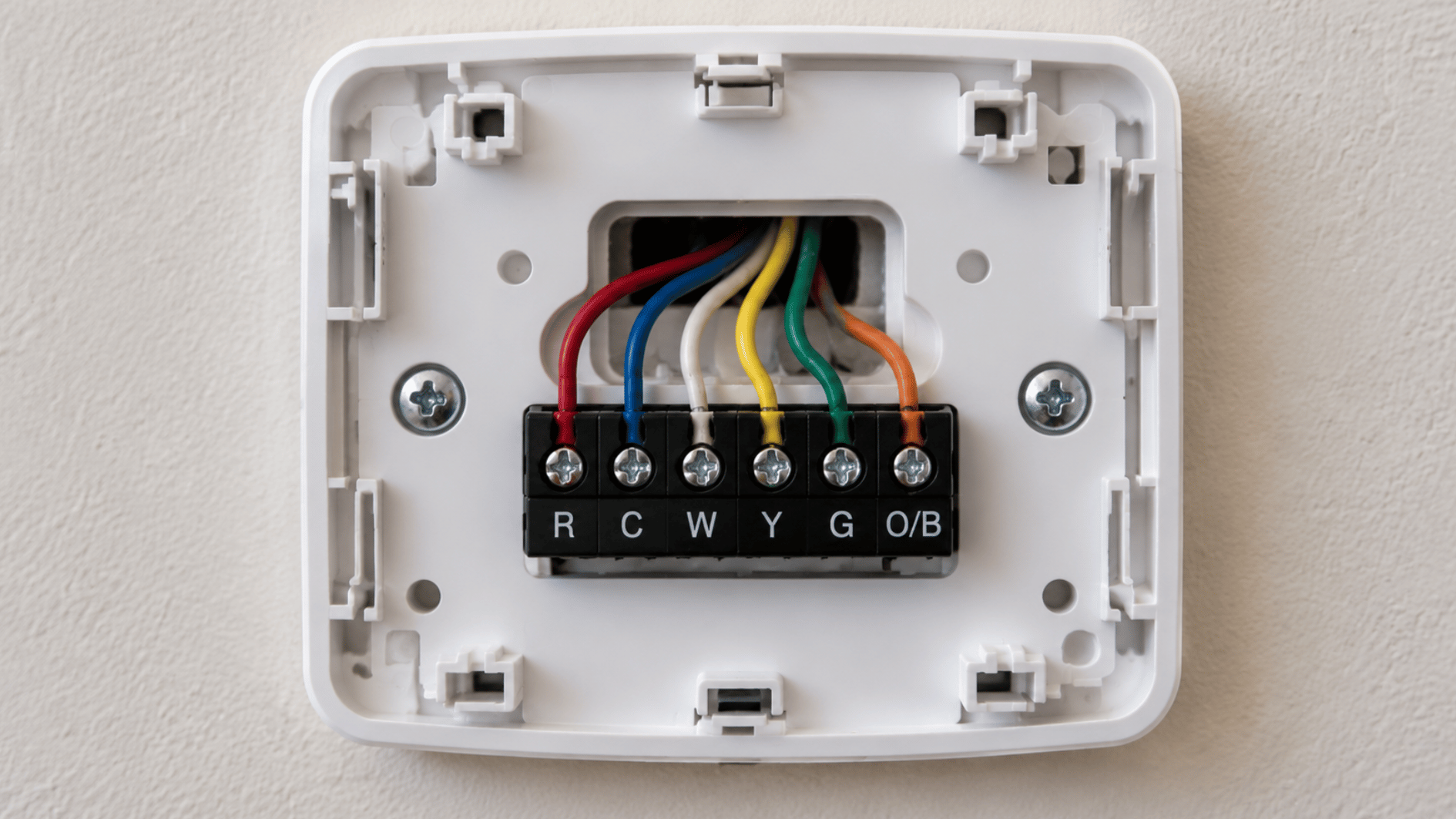
Terminal | Common Color | What It Does |
|---|---|---|
R | Red | Brings 24V power to the thermostat |
C | Blue or black | Completes the power circuit |
W | White | Sends the signal for heating |
Y | Yellow | Sends the signal for cooling |
G | Green | Controls the indoor fan |
O/B | Orange or dark blue | Controls the heat pump reversing valve |
How to Check If Your Thermostat Has a C Wire
Checking for a C wire takes a little more than looking at one connection. A few simple checks can help confirm what wiring is already available before making any changes.
- Turn Off the HVAC Power: Switch off power at the breaker before removing the thermostat cover or opening the HVAC panel.
- Check Behind the Thermostat: Look for a wire connected to a terminal marked C or Common.
- Look for an Unused Wire: An extra wire may be tucked behind the thermostat even if nothing is connected to the C terminal.
- Check the HVAC Control Board: Find the C terminal inside the furnace or air handler and see which wire is connected there.
- Match the Wire at Both Ends: Confirm that the same wire runs from the HVAC C terminal to the thermostat location before using it.
What If Your Thermostat Does Not Have a C Wire?
Not having a C wire does not always stop a thermostat upgrade. I usually check the wiring and HVAC setup first, since the table below shows the simplest options to consider.
Option | How It Works | Best For |
|---|---|---|
No-C-wire thermostat | Uses another supported power method | Compatible systems |
C wire adapter | Creates a common power connection | Avoiding new wiring |
New C wire | Adds a dedicated common wire | Long-term compatibility |
How to Connect a C Wire to a Thermostat
Connecting a C wire means matching the same wire at the thermostat and HVAC control board. I always shut off power and note the existing connections first, since it’s the easiest way to avoid mixing up wires later.
Step 1: Turn Off Power to the HVAC System
Start by switching off power to your furnace or air handler at the breaker panel. Do not rely only on turning the thermostat off, since the HVAC equipment may still have power.
Wait until the thermostat display goes blank before touching any wires. I also recommend taking a quick photo of the existing setup before removing or moving anything.
- Breaker off: Switch off the circuit that supplies power to the HVAC system.
- Screen check: Make sure the thermostat display has turned off.
- Photo first: Save a clear picture of the original wire positions for reference.
Step 2: Locate the C Terminal on the HVAC Control Board
Open the access panel on your furnace or air handler and find the low-voltage control board. The thermostat wires usually connect to a row of terminals marked with letters.
Look for a terminal labeled C, Common, or sometimes COM. Focus on the terminal label rather than wire color, since colors can vary between installations.
- Find the board: Look inside the furnace or air handler access panel.
- Check the label: Identify the terminal marked C, Common, or COM.
- Ignore color alone: Use terminal markings to confirm the correct connection.
Step 3: Connect the Wire to the C Terminal
If an unused thermostat wire already runs between the HVAC system and thermostat, it may be used as the common wire. Connect that wire securely to the C terminal on the control board.
Make sure the wire sits firmly in the terminal and that loose copper is not touching nearby connections. Avoid moving other wires unless the thermostat manufacturer specifically requires it.
- Use the spare wire: Choose an unused wire that reaches the thermostat.
- Secure the connection: Tighten the terminal so the wire cannot slip out.
- Check exposed copper: Keep bare wire from touching neighboring terminals.
Step 4: Connect the Other End to the Thermostat
Return to the thermostat and locate the same unused wire behind the wall plate. Connect it to the terminal marked C or Common on the new thermostat.
Keep the other thermostat wires in their correct terminals while making this connection. Matching the same wire at both ends is more important than matching a particular color.
- Match both ends: Confirm it is the same wire connected at the HVAC board.
- Use the C terminal: Insert the wire into the thermostat’s C connection.
- Leave other wires: Keep existing connections in their proper terminals.
Step 5: Restore Power and Test the Thermostat
Once every wire is secure, reinstall the HVAC access panel and restore power at the breaker. The thermostat should power on if the common-wire connection is working correctly.
Test the system before finishing. Check heating, cooling, and fan operation, then confirm Wi-Fi or other connected features if your thermostat supports them.
- Restore power: Turn the HVAC breaker back on.
- Check the display: Confirm the thermostat starts normally.
- Test the system: Run heating, cooling, and fan functions.
- Check connectivity: Confirm Wi-Fi and app features work properly.
Note: If the wiring is unclear or your HVAC system has a more complex setup, it is safer to have an HVAC professional handle the connection.
Common C Wire Problems After Installation
A C wire connection can look correct but still cause trouble if power isn’t flowing properly. I’ve seen enough of these calls to know the fix is usually simpler than it first appears.
Problem | Likely Cause | What to Check |
|---|---|---|
Blank screen | No 24V power reaching thermostat | R, C terminals, breaker, power switch |
Keeps restarting | Loose C wire or unstable power | Tighten connection, inspect wire ends |
Wi-Fi drops repeatedly | Not receiving steady power | C wire connection, thermostat compatibility |
Heating/cooling won’t start | Wire on wrong terminal | Compare with wiring diagram |
Fan won’t run | G wire moved or loosened | G terminal and nearby connections |
Acts irregularly | Weak connection or damaged wire | Loose terminals, exposed copper |
Stopped working after wiring | Shorted or misplaced wire | Power off, recheck each terminal |
Choosing a Smart Thermostat Based On Your Wiring Setup
Before buying a smart thermostat, check that it is compatible with your HVAC system. Heat pumps, multi-stage systems, and older equipment may have different wiring needs, so compatibility should come before features.
Next, confirm whether your current setup has a C wire available. If it does not, look for models designed to work without one or check whether the thermostat supports a compatible adapter.
Pay attention to the thermostat’s power requirements as well. Some models need continuous 24V power, while others can use batteries or another supported power method, depending on the system.
Finally, check whether a C wire adapter is included and decide if the installation feels straightforward. If the wiring is complex or unclear, professional installation may be the safer choice.
When to Call an HVAC Professional
- Wires are unclear: You cannot confidently identify the thermostat terminals or match the wires.
- Wiring is complex: Heat pumps, multi-stage systems, or older equipment may need extra care.
- Thermostat stays off: The display does not power on after the C wire is connected.
- HVAC stops responding: Heating, cooling, or fan operation fails after installation.
- Connections look damaged: Loose terminals, frayed wires, or exposed copper may need repair.
- Breaker keeps tripping: Repeated trips after wiring changes can point to a short or electrical fault.
Safety warning: Turn off HVAC power before touching any thermostat wires. If the wiring is unclear, call a professional.
It’s a Wrap
That bundle of wires behind your thermostat isn’t nearly as intimidating as it looks.
I remember staring at mine, convinced one wrong connection meant disaster. It wasn’t. Not once I actually knew what I was looking at.
You’ve got that same clarity now. Whether it’s already there, missing entirely, or acting up after installation, none of it needs to feel like guesswork anymore. A little patience clears up most of the confusion fast.
So the next time a thermostat mentions a C wire, you’ll know exactly what it’s asking for.
Frequently Asked Questions
Can a C Wire Be Present but Not Connected?
Yes. Some homes have an extra wire behind the thermostat or at the control board that was never hooked up to the common terminal.
What Happens if I Connect the C Wire Incorrectly?
It can prevent the thermostat from getting power or cause the system to misbehave. Match the wire to the correct C terminal on both ends.
Does a C Wire Improve Thermostat Performance?
A C wire does not improve temperature accuracy, but it provides continuous power to compatible smart thermostats. This helps features like Wi-Fi, displays, and app controls work more consistently.
Can I Leave an Unused C Wire Behind My Thermostat?
Yes. An unused C wire can remain behind the thermostat as long as the exposed end is safely capped or insulated. Do not connect it to another terminal unless the thermostat instructions specifically require it.