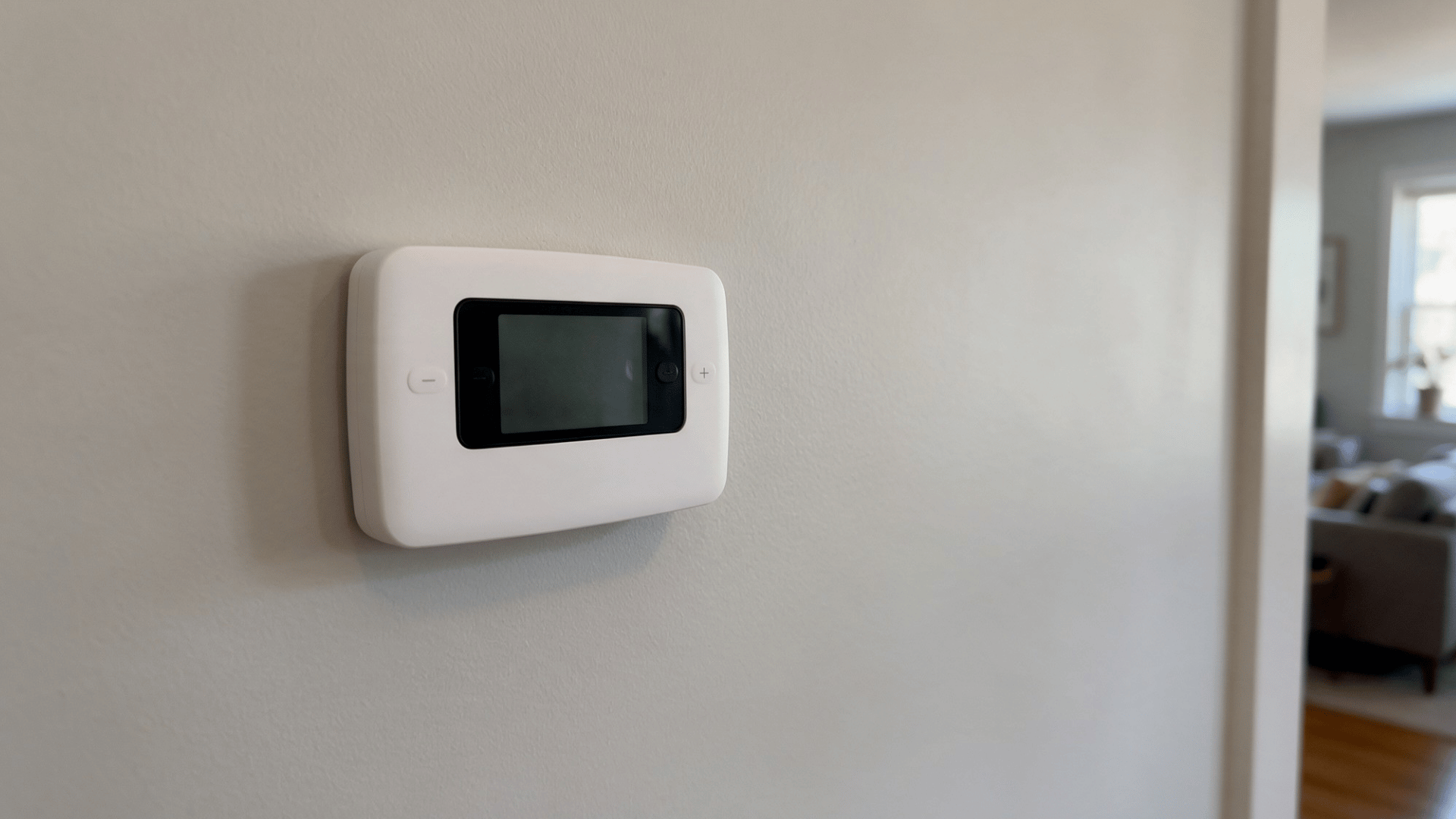
You change the temperature and wait, but nothing happens. Maybe the screen is completely blank, or the thermostat simply refuses to respond. Either way, it can quickly become frustrating when your home does not feel the way you want it to.
Finding your thermostat not working can be frustrating, especially when your home is already uncomfortable. I find that the best place to begin is simply paying attention to what the thermostat is doing.
You do not need to start taking things apart right away. A few careful checks can help you understand the situation and figure out what makes sense to do next.
Why Is My Thermostat Not Working?
A thermostat can stop working for several reasons. It may have lost power, the batteries may be dead, the HVAC system may have shut down, or the settings may be wrong. Wiring problems can also cause trouble.
If your thermostat isn’t working, the problem doesn’t always start with the thermostat itself. It works as part of a larger heating and cooling system, so an issue elsewhere can affect what you see at the wall.
That is why the exact behavior matters. Before changing settings or removing anything, watch what happens when you use the thermostat. That gives you a clearer starting point for troubleshooting.
Start by Identifying What Your Thermostat Is Doing
Start with the symptom you can see. A blank screen, a frozen display, or a system that will not start can point to different problems. If you are wondering “Why is my thermostat blank?”, check the display first. Then use the table below to see what to look at next.
What You See | What It May Point To | What to Check First |
|---|---|---|
Screen is completely blank | Dead batteries or no power | Batteries and HVAC power |
Display turns on and off | Weak or unstable power | Batteries, wiring, system power |
Screen is on, but controls do not respond | Frozen thermostat or internal issue | Restart or reset |
Thermostat works, but heat or AC does not start | Wrong settings or HVAC problem | Mode, temperature, system |
Problem started after installation | Wiring or compatibility issue | Thermostat connections |
How to Troubleshoot a Blank Thermostat Step by Step
A blank thermostat often points to a power problem. If your thermostat is not getting power, work through these checks in order. I usually rule out batteries and system power before assuming the thermostat itself has failed.
Step 1: Check Whether the Thermostat Uses Batteries
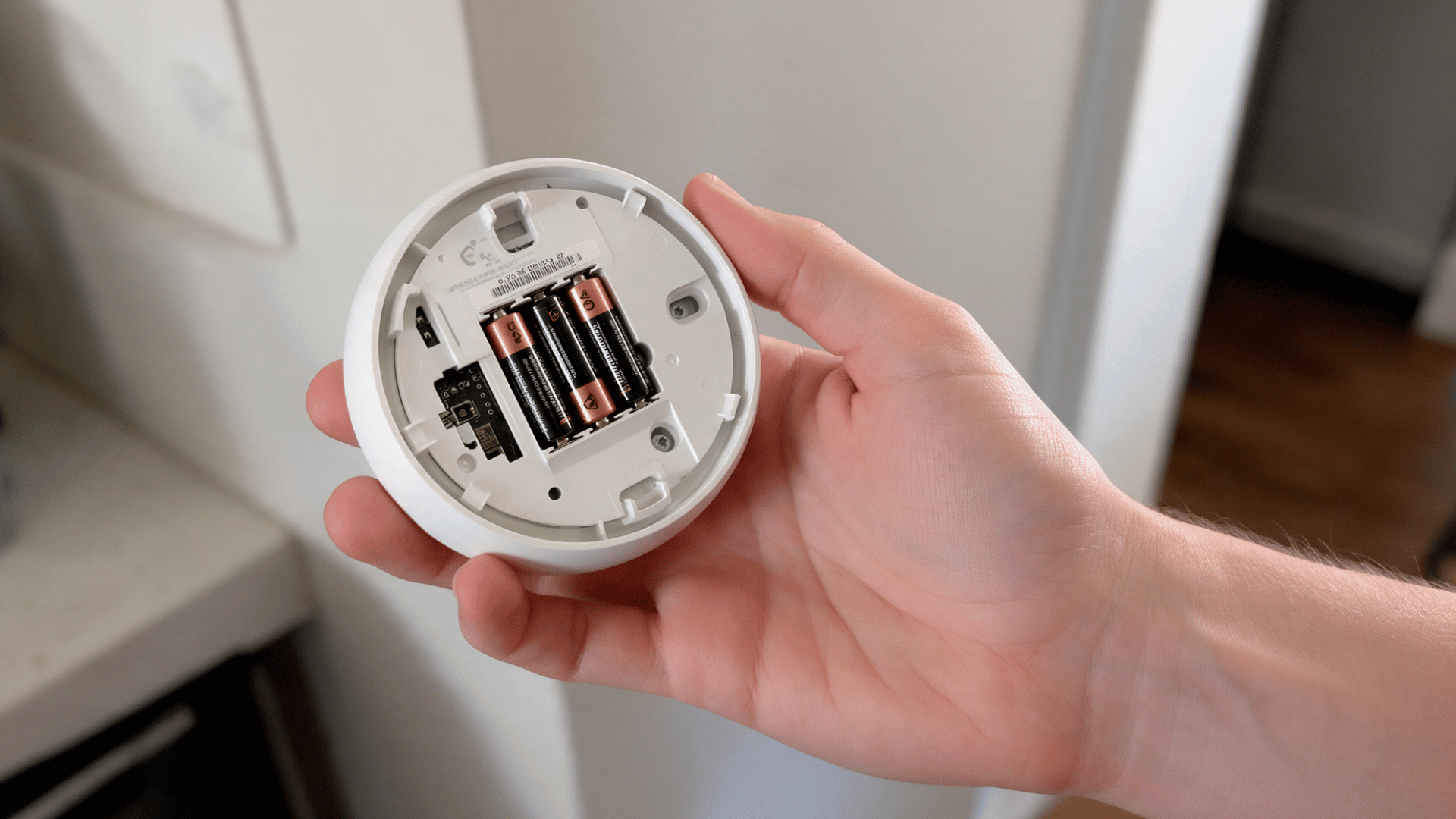
Dead or weak batteries are one of the simplest reasons a thermostat screen can go blank. Some thermostats run on batteries, while others use them only as backup power. Even a hardwired model may have batteries inside. If you’re unsure, check your thermostat model.
What to do:
- Remove the thermostat cover as the manufacturer directs.
- Take out the old batteries.
- Insert fresh batteries in the correct direction.
- Make sure each battery sits firmly in place.
- Put the cover back on and check the screen.
Step 2: Make Sure the Thermostat is Properly Seated
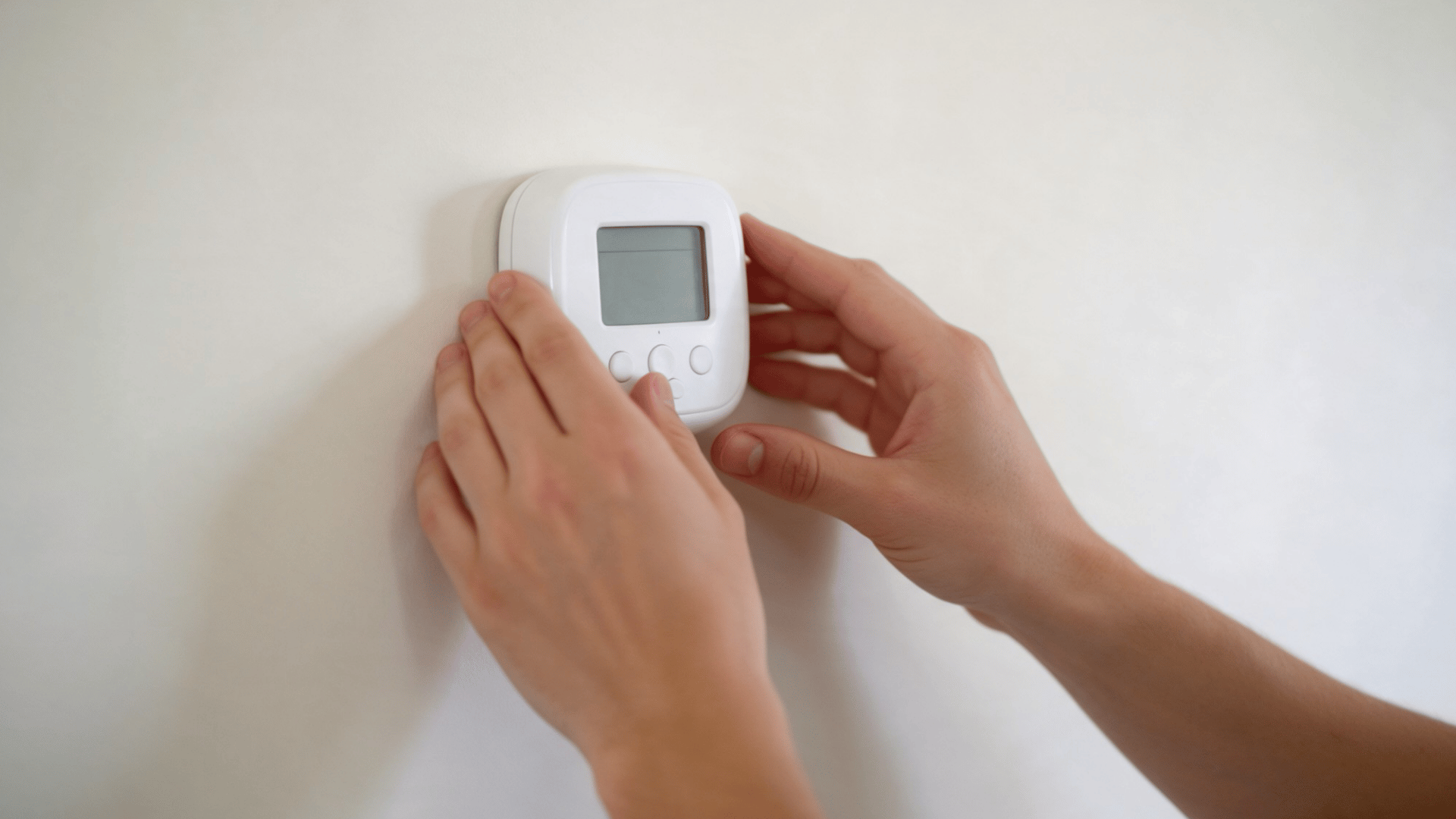
The thermostat face connects to a wall plate behind it. If it is loose, the electrical contacts may not connect properly. This often happens after battery replacement, cleaning, or installation. The thermostat may look attached even if it isn’t fully seated.
What to do:
- Check whether the thermostat face feels loose.
- Line it up correctly with the wall plate.
- Press it gently into place.
- Follow the manufacturer’s directions for your model.
- Check whether the display turns back on.
Step 3: Check the HVAC Circuit Breaker
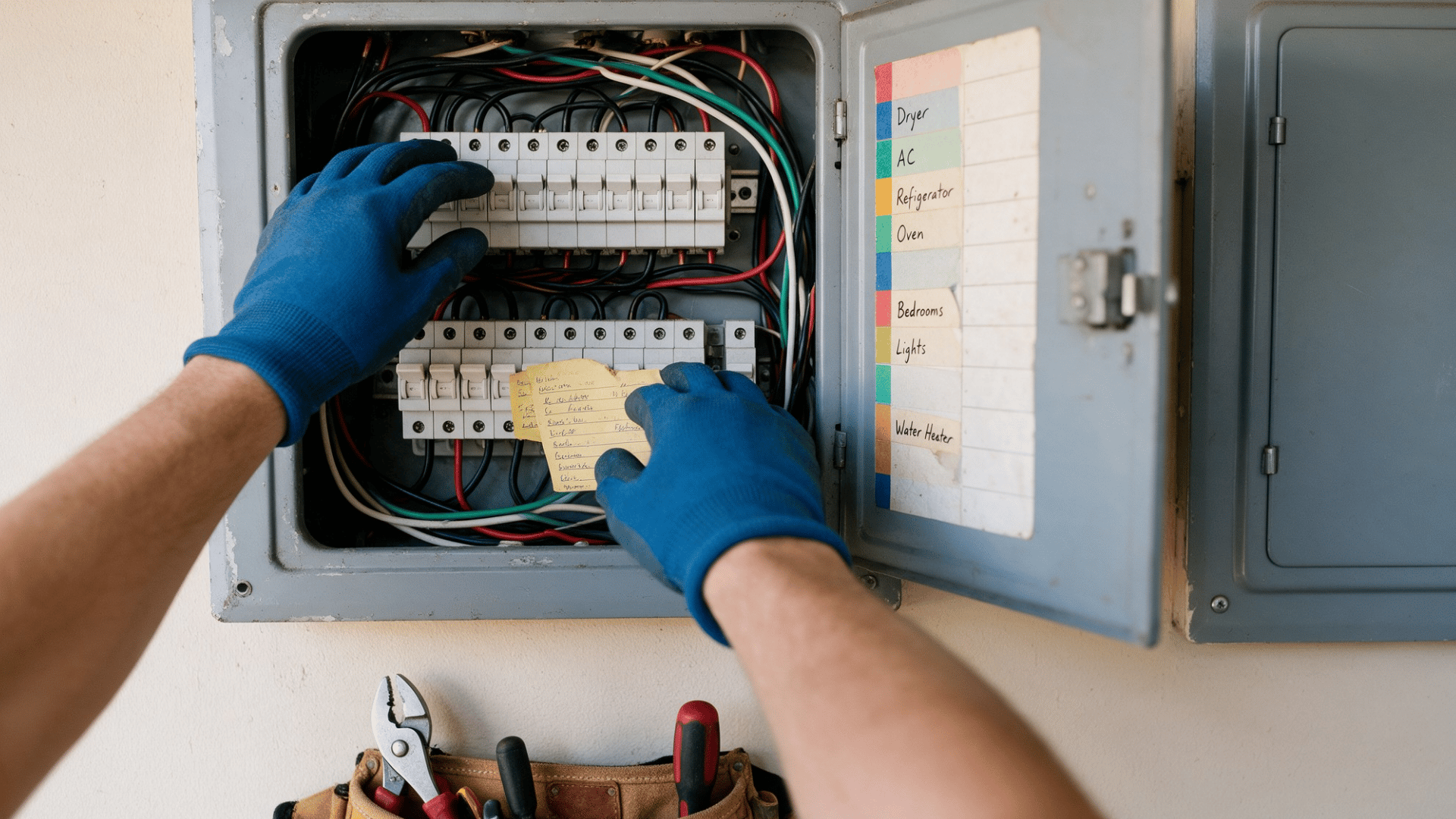
Your thermostat may depend on power from the furnace or air handler. If the HVAC breaker trips, the thermostat can lose power too. Look in your electrical panel for a breaker marked furnace, air handler, HVAC, or AC. A tripped breaker may sit between the ON and OFF positions.
What to do:
- Find the breaker linked to your HVAC system.
- Move a tripped breaker fully to the OFF position.
- Switch it back to ON once.
- Check the thermostat screen.
- Do not reset it again if it keeps tripping.
Note: A breaker that trips again may point to an electrical or HVAC problem. Have a technician inspect the system.
Step 4: Check the Furnace or Air Handler Power Switch
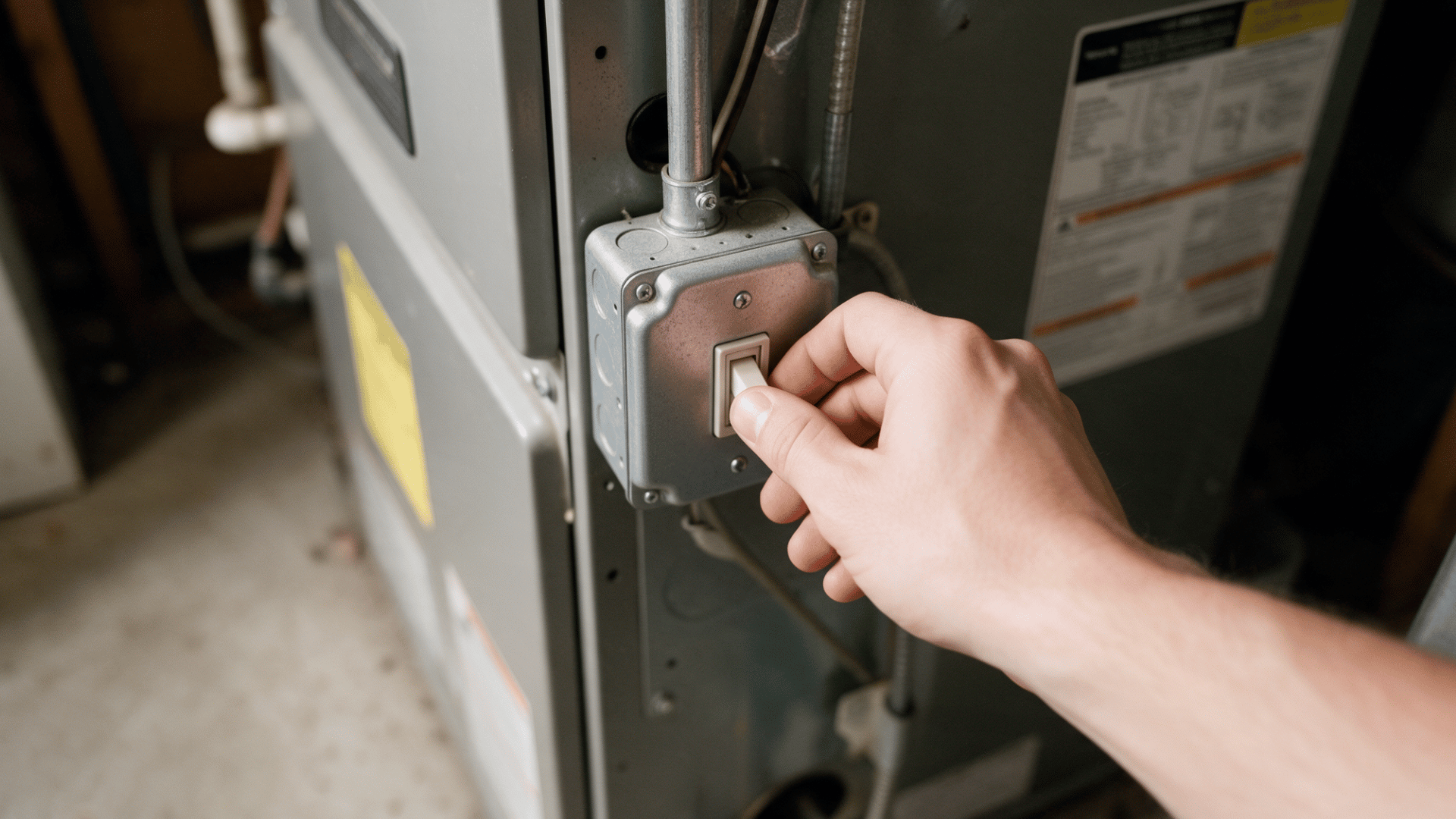
The furnace or air handler often has its own power switch. It may look just like a regular wall light switch. Someone can turn it off by accident during cleaning or maintenance. When that happens, the thermostat may also lose power.
What to do:
- Find the switch near the furnace or air handler.
- Check that it is in the ON position.
- Do not open electrical panels to reach a switch.
- Wait a moment after turning it on.
- Check the thermostat again.
Step 5: Check That the Equipment Panel Is Fully Closed
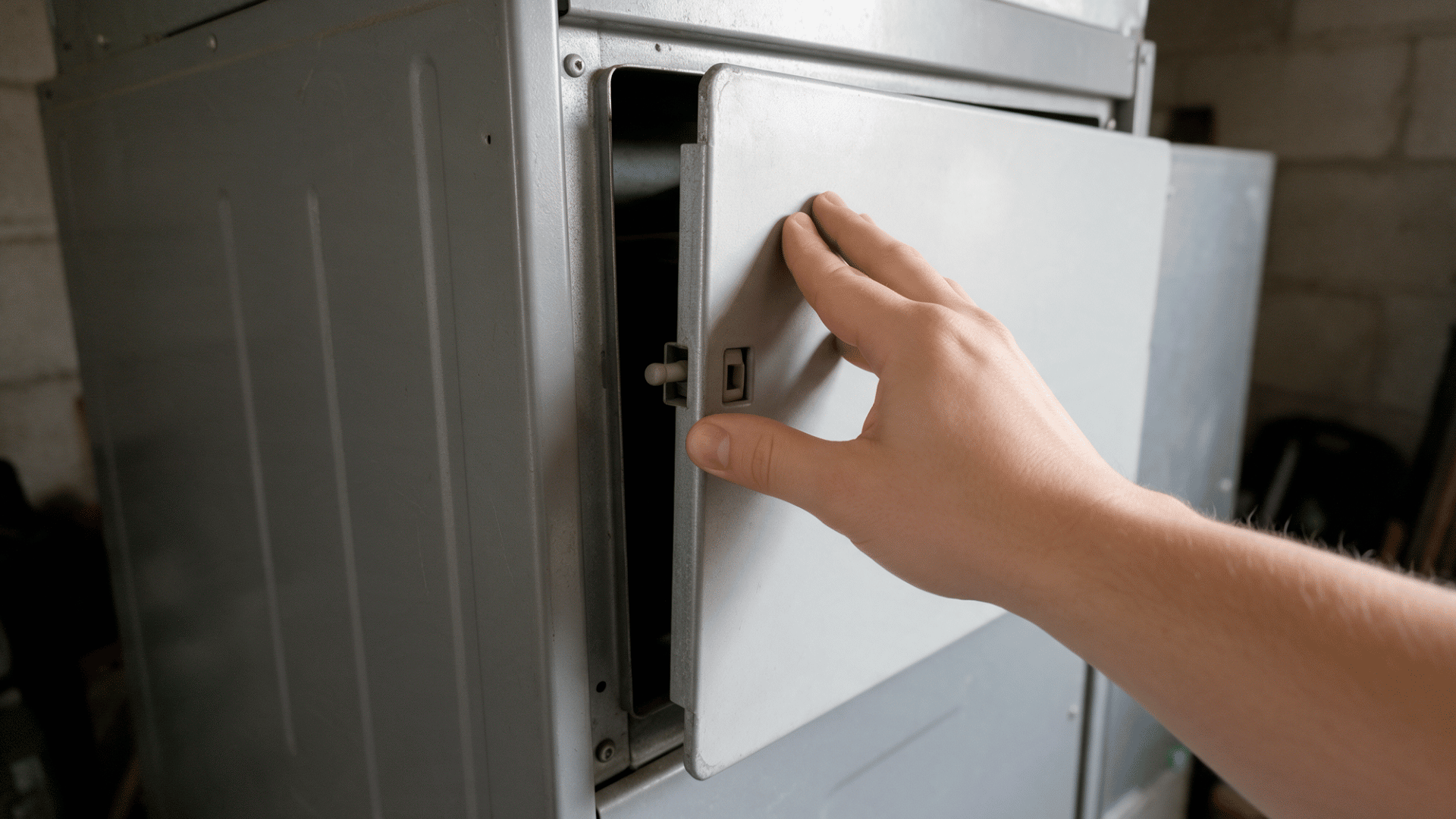
Some furnaces and air handlers have a safety switch near the access panel. The switch may stop the system if the panel isn’t fitted correctly. A panel can become loose after filter changes or service work. Even a small gap may prevent the safety switch from being pressed.
What to do:
- Look at the furnace or air handler access panel.
- Make sure it is lined up correctly.
- Push it firmly into its normal position.
- Secure any clips or fasteners.
- Check whether thermostat power returns.
Step 6: Look for a Condensate Safety Switch Shutdown
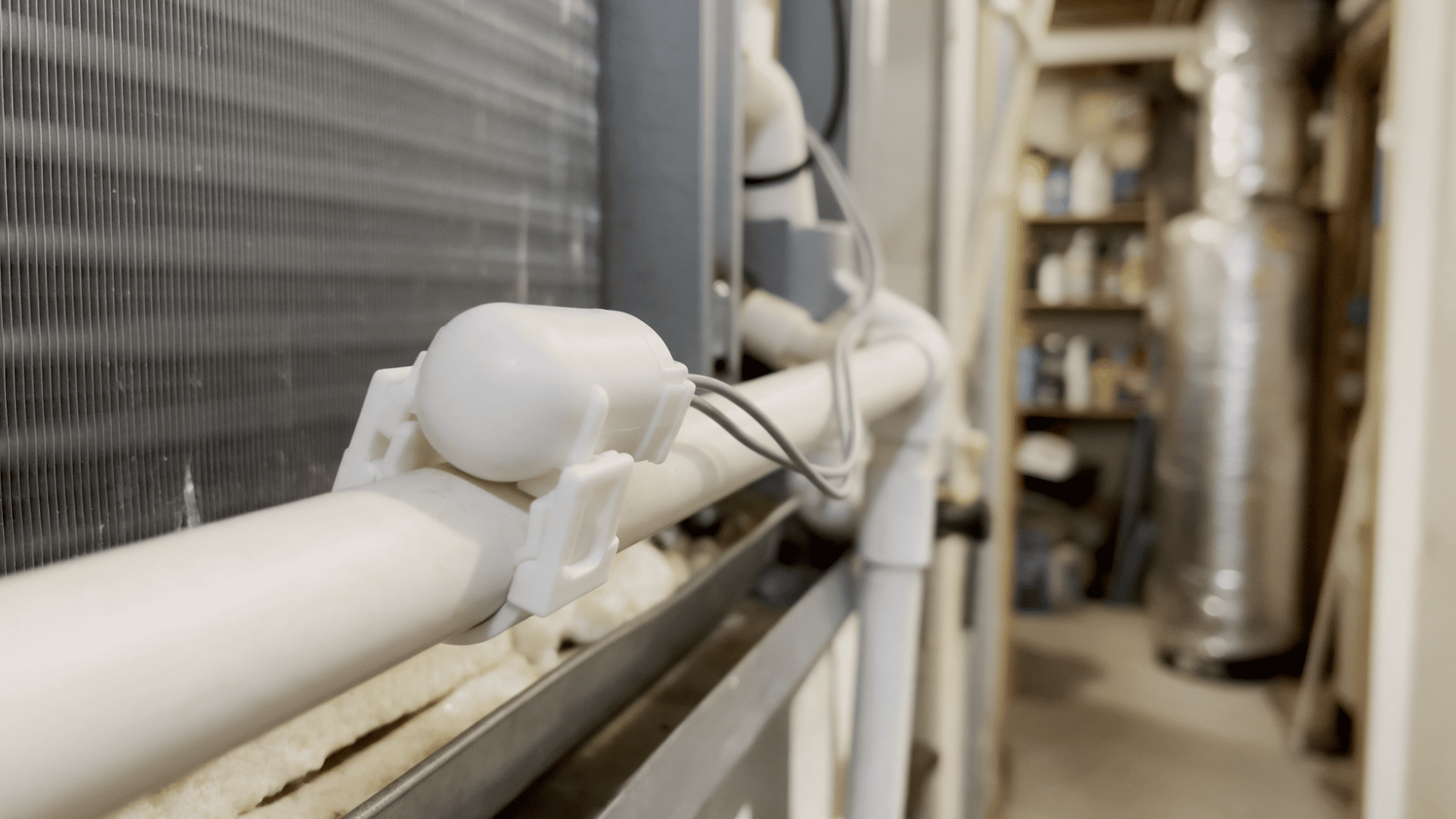
Air conditioners remove moisture as they run. That water normally leaves through a condensate drain line. If the drain becomes blocked, water may collect in the pan. A float switch can then shut down the system to help prevent water damage.
What to do:
- Look around the indoor HVAC unit.
- Check the drain pan for standing water.
- Look for visible signs of a clogged or backed-up drain.
- Do not bypass or disable the float switch.
- Call an HVAC technician if water keeps collecting.
Step 7: Inspect Only Visible Thermostat Connections
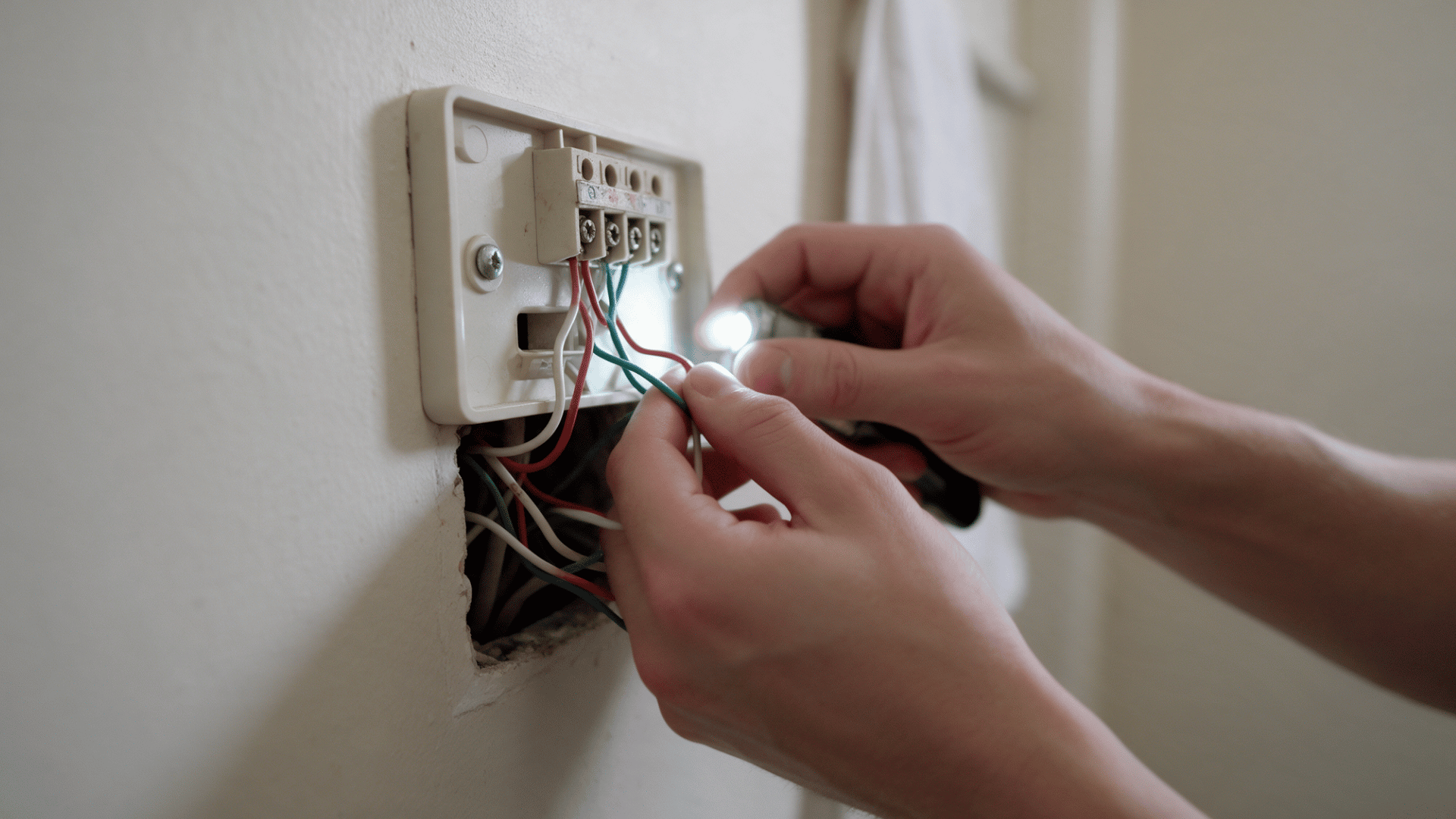
A loose thermostat wire can interrupt power or communication. However, handle wiring with care. Always shut off HVAC power before removing the thermostat face. Do not test live wires or take apart the HVAC control panel yourself.
What to do:
- Turn off power to the HVAC system.
- Remove the thermostat face carefully.
- Look for a wire that is clearly loose or disconnected.
- Do not pull, cut, or move wires you cannot identify.
- Call a technician if wiring looks damaged or burned.
If you are still asking why is my thermostat blank after these checks, the problem may be deeper in the HVAC power supply. A blown fuse, transformer problem, damaged wiring, or failed thermostat may need professional testing.
What to Check When the Thermostat Has Power But Does Not Respond
If the screen is on but the system will not start, check the settings first. Then see how the HVAC system responds. If your thermostat is not working even though the display looks normal, use these checks to narrow down the cause.
- Check the mode – Make sure the thermostat is set to Heat or Cool. Avoid leaving it on Off if you expect the HVAC system to run.
- Adjust the temperature – For cooling, set the temperature several degrees below the current room temperature. For heating, set it several degrees higher.
- Check the fan setting – Set the fan to Auto for normal operation. If it is set to On, the fan may run even when the system is not heating or cooling.
- Wait a few minutes – Some HVAC systems have a built-in delay. Wait about five minutes after changing the setting before assuming something is wrong.
- Restart the thermostat – If the screen is on but the controls seem frozen, restart the thermostat using the instructions for your model. Avoid a factory reset unless it is needed.
- Check the screen message – Check the screen for messages such as Heat On or Cool On. This can show that the thermostat is asking the HVAC system to run.
- Check the HVAC system next – If the thermostat responds normally but the furnace or AC still does not start, the issue may be outside the thermostat. At that point, the HVAC system needs closer attention.
Why Is My Thermostat Not Getting Power?
If your thermostat isn’t getting power, the issue may be with the thermostat or the HVAC system. The table below shows the most common causes and where they usually start.
Possible Cause | What Happens | Where to Look |
|---|---|---|
Dead batteries | The display may go blank. | Battery compartment |
Tripped breaker | HVAC power may be cut off. | Electrical panel |
Equipment switch off | The furnace or air handler may shut down. | Nearby wall switch |
Open safety switch | A loose panel may stop operation. | Equipment access panel |
Triggered float switch | Water buildup may stop the system. | Drain pan or condensate line |
Blown fuse | Low-voltage power may be interrupted. | Control board |
Loose wiring | The circuit may lose connection. | Thermostat terminals |
C-wire problem | Smart thermostats may lose steady power. | Common-wire connection |
Failed transformer | Low-voltage power may stop completely. | HVAC transformer |
Should You Reset the Thermostat?
A reset can sometimes clear a control or settings issue, but it isn’t useful in every situation. The timing matters more than simply pressing reset.
When a Reset May Help
A reset is most useful when the thermostat still has power, but the controls aren’t behaving normally. Try it only after checking the basic settings first.
- The screen is on, but the controls are frozen.
- The thermostat doesn’t respond to setting changes.
- The schedule or temperature settings are acting incorrectly.
- A recent setting change caused the problem.
When a Reset is Not the Right Fix
A reset is not the right step when the problem points to lost power or an electrical issue. In these cases, resetting may only delay the real fix.
- The thermostat screen is completely blank.
- The breaker keeps tripping after you reset it.
- The HVAC system has lost electrical power.
- The thermostat has a wiring or connection problem.
Signs the Problem May Be the Thermostat Itself
A thermostat not working does not always mean the unit has failed. Power problems and HVAC issues can cause similar signs. Look for a pattern before replacing the thermostat.
- Screen stays blank with confirmed HVAC power: This may point to an internal thermostat fault.
- Buttons or touchscreen stop responding: Frozen controls can signal an internal control issue.
- Temperature reading is clearly wrong: The sensor or thermostat location may be causing the error.
- Display keeps turning off: Unstable power or an internal problem may be responsible.
- Problems continue after basic checks: The thermostat or HVAC system may need professional testing.
When to Stop Troubleshooting and Call an HVAC Technician
Some signs mean it is time to stop checking things yourself. A breaker that trips again, a burning smell, damaged wires, or a blown fuse can point to an electrical problem that needs professional care.
You should also call for help if the thermostat still has no power after the basic checks. The same goes if the display works normally, but the furnace or AC still does not respond.
Stop DIY troubleshooting once the issue moves into the control board, transformer, condensate safety system, or wiring. These parts need proper testing and the right tools.
Final Thoughts
A nonworking thermostat can tempt you to try one fix after another. A more measured approach helps you avoid unnecessary changes and makes the situation easier to handle.
I prefer starting simple rather than assuming the thermostat needs replacing. Sometimes, knowing when not to keep tinkering is just as useful.
Once you have a clearer idea of what is happening, you can make the next decision with more confidence. If professional help is needed, share
Frequently Asked Questions
How Long Should a Thermostat Take to Turn on the AC?
Some systems may wait up to five minutes before starting the AC.
Can a Dirty Air Filter Cause Thermostat Problems?
A badly clogged filter can restrict airflow and may cause the HVAC system to shut down to protect it.
Does a Thermostat Need a C-Wire to Work?
Not every thermostat needs one, but many smart models use a C-wire for steady power.
Why is My Thermostat Showing the Wrong Room Temperature?
Direct sunlight, drafts, poor placement, or a sensor problem can affect the reading.