Have you ever worried your security system might fail during a power cut or internet outage? I know how frustrating it feels when protection depends on unstable connections.
A wired home security system removes that uncertainty by using physical cables instead of wireless signals. Still, many people are unsure how these systems actually work or whether they’re worth the installation effort.
I’ll help you understand how wired systems function, what equipment they use, and where they make the most sense. By the end, you’ll know if this setup is the right fit for your home and security needs.
What Is a Wired Home Security System?
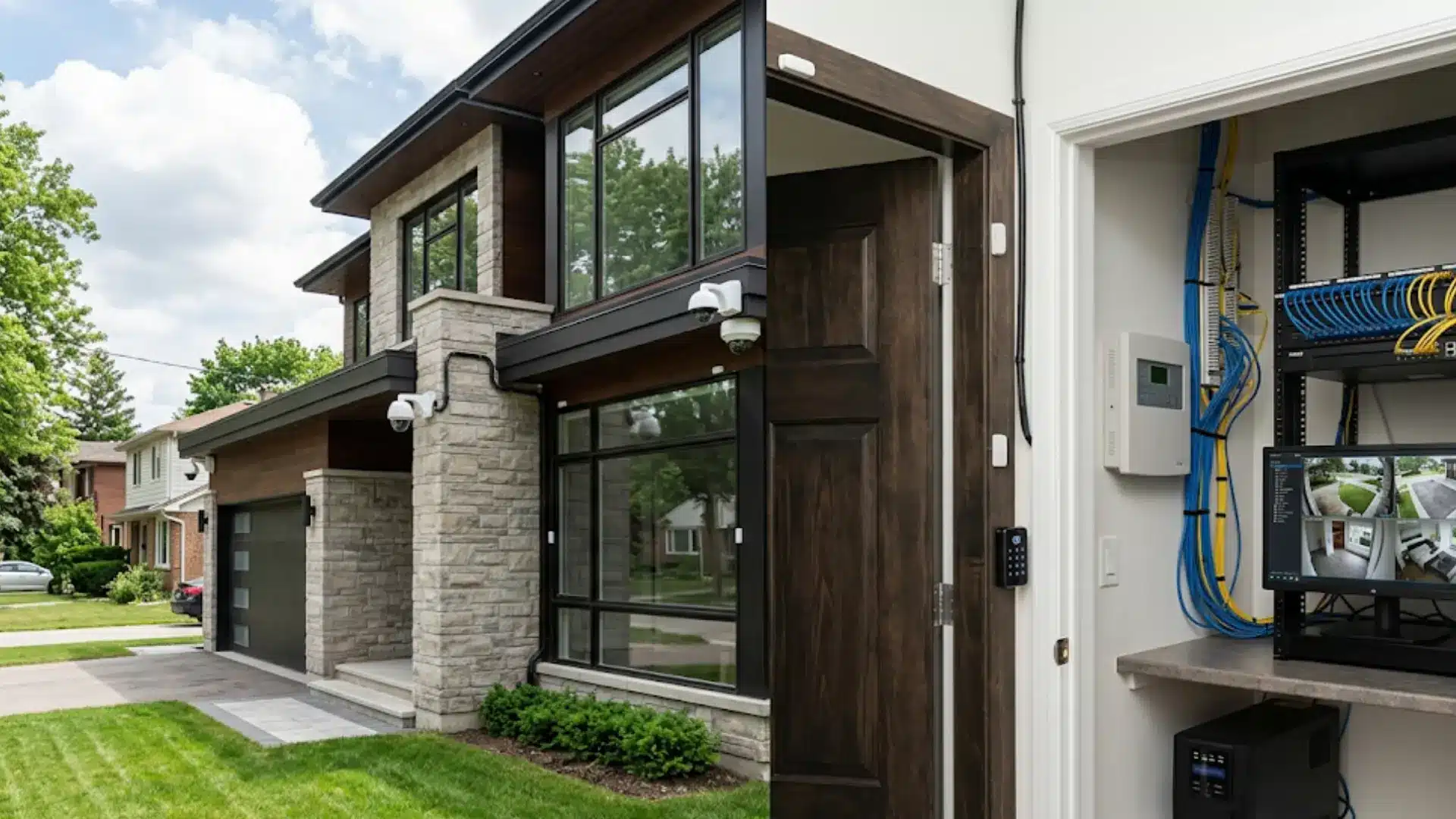
A wired home security system connects security devices through physical cables instead of depending entirely on wireless communication. Depending on the setup, those devices may include door sensors, motion detectors, cameras, keypads, sirens, recorders, and a central control panel.
Wired security generally falls into two main categories: alarm systems and surveillance camera systems. Some properties use both as part of one larger setup, and working through some basic home protection guidelines beforehand can help you decide which category actually fits your property.
Traditional alarm equipment sends signals from sensors to a control panel. Wired camera systems send video to a DVR or NVR for recording and storage.
A system can also include wireless features. For example, a wired alarm panel may use cellular communication for monitoring, while a wired recorder may connect to the internet for phone access. These setups are often called hybrid systems.
How Does a Wired Security System Work?

A wired system creates fixed communication paths between security devices and the equipment responsible for processing their information.
When a door contact, motion detector, or other alarm sensor is activated, it sends a signal through its cable to the control panel. The panel identifies the event and can activate a siren, display an alert, or communicate with a monitoring service.
Security cameras work differently. They send video through coaxial or Ethernet cables to recording equipment, and if you’re not familiar with routers, switches, or cable runs, brushing up on wiring your home network can make this part of the process much less confusing.
The recorder saves footage and may also provide access through a monitor, computer, or mobile app.
Because core devices communicate through cables, local alarm or recording functions may continue even when internet service is unavailable. Remote features can still depend on an active network connection.
Main Components of a Wired Security System
A complete setup can contain several types of equipment. The exact combination depends on whether the property needs intrusion detection, video surveillance, or both.
The table below shows the main parts and the role each one plays.
| Component | Main Purpose | Typical Use |
|---|---|---|
| Control Panel | Processes alarm signals | Central alarm management |
| Door/Window Sensors | Detect opening and closing | Doors and windows |
| Motion Sensors | Detect movement | Rooms, halls, and entry areas |
| Keypad | Controls alarm settings | Near main entrances |
| Siren | Produces an audible warning | Central area of the property |
| Security Cameras | Capture video | Indoor and outdoor monitoring |
| DVR | Records coaxial camera footage | Traditional camera systems |
| NVR | Records network camera footage | IP and PoE camera systems |
| Hard Drive | Stores recorded video | Inside a DVR or NVR |
| Backup Battery or UPS | Supplies temporary backup power | Panels, recorders, and network equipment |
These components do different jobs, so choosing equipment starts with deciding whether the main need is intrusion detection, video monitoring, or a combination of both. If keypads and entry hardware are part of the plan, getting familiar with door access fundamentals can help you match the right locking and entry equipment to your panel.
How Do Wired Systems Carry Power, Data, and Alerts?
Not every wired security system uses the same type of cable. Alarm sensors, traditional cameras, and newer network cameras handle information differently.
1. Alarm Sensor Wiring
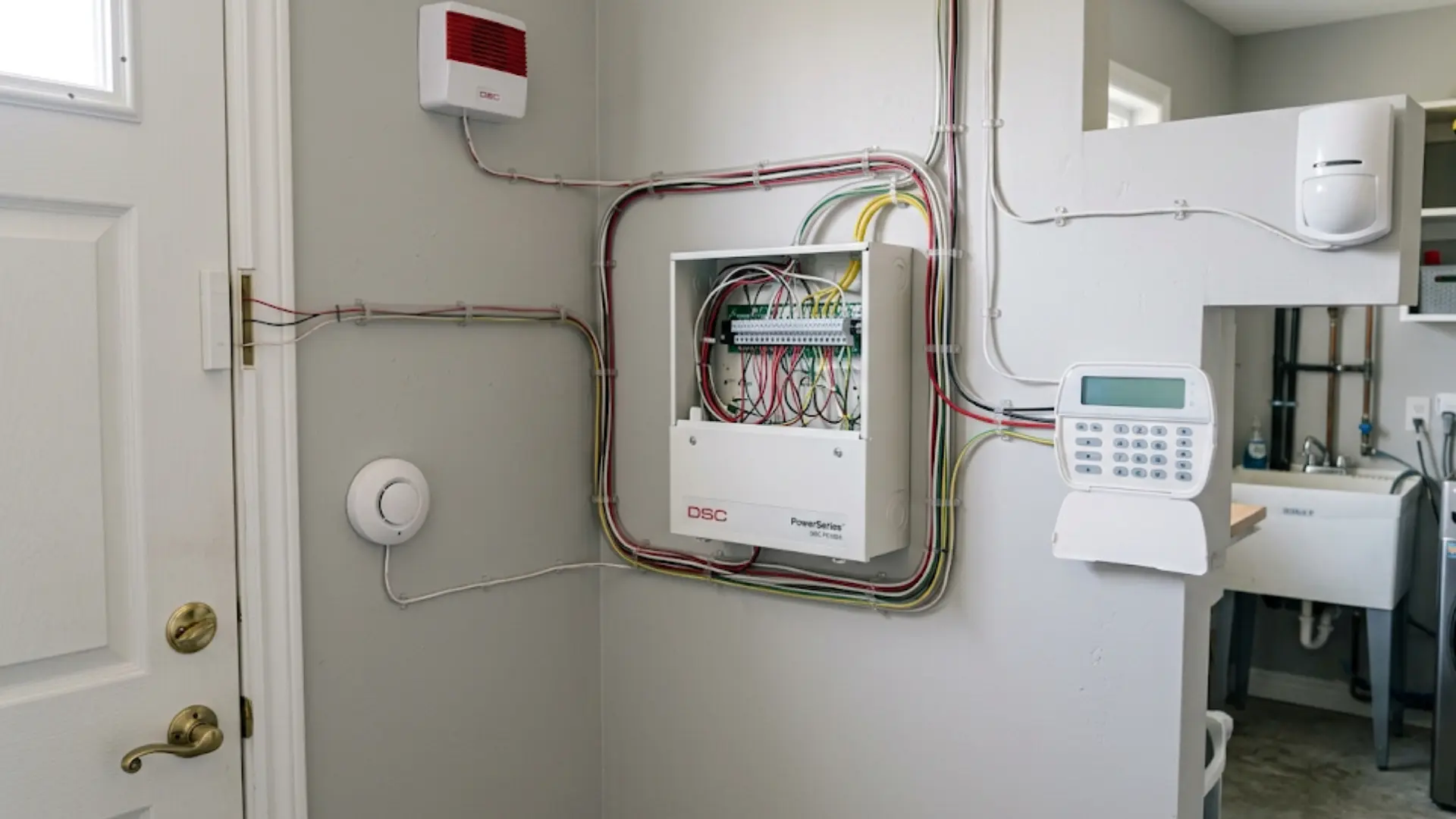
Traditional alarm systems commonly use low-voltage cables connecting sensors, keypads, sirens, and other devices to a central control panel.
Door and window contacts usually work by changing the state of an electrical circuit. The control panel monitors that circuit and recognizes when a protected point opens, or another sensor is activated.
Different sensors may be assigned to separate zones so the panel can identify where an event occurred.
2. DVR and Coaxial Camera Wiring
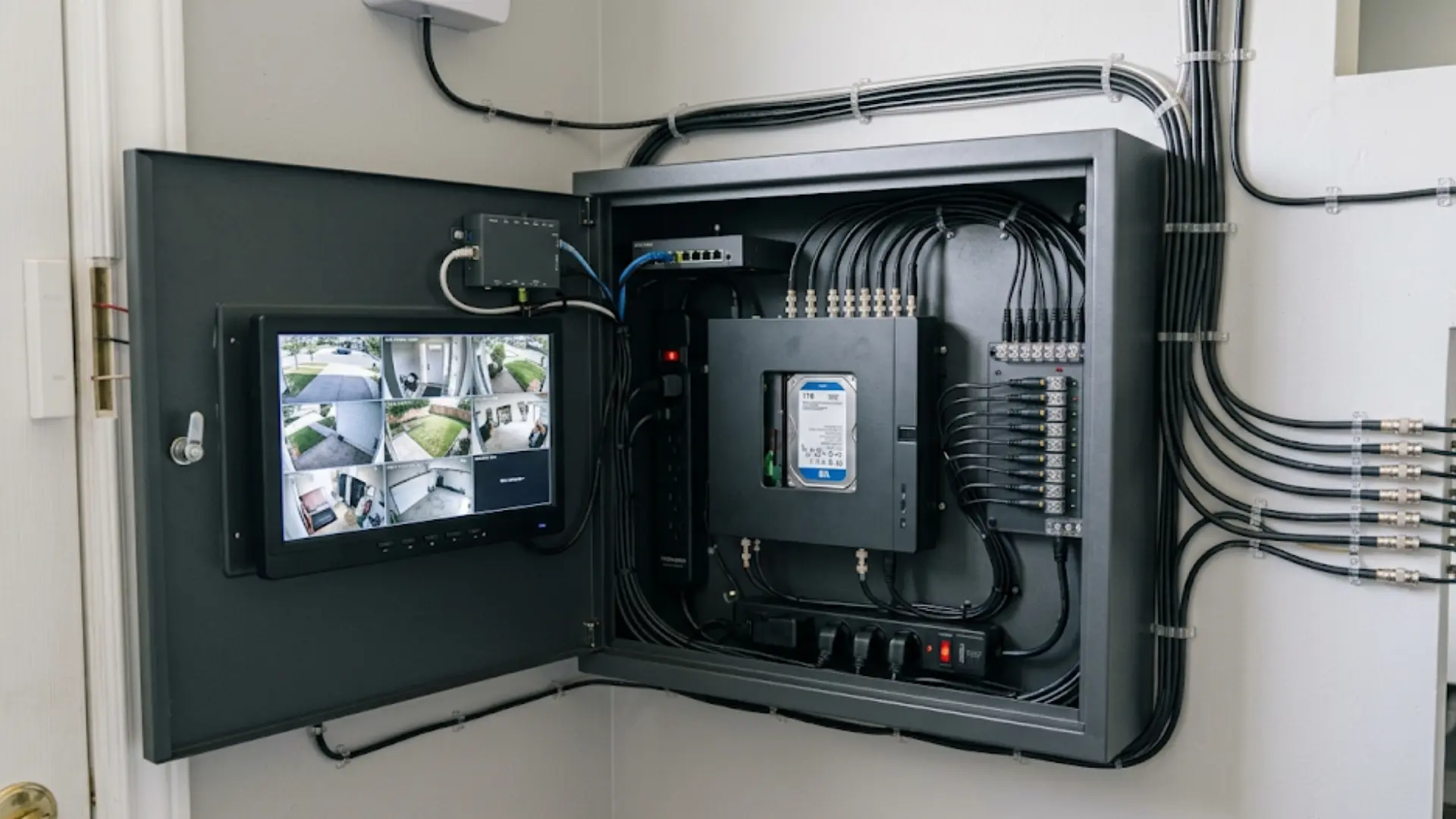
Traditional wired camera systems often use coaxial cables to carry video from each camera to a DVR.
Camera power may travel through separate wiring, while the DVR processes and stores the footage on an internal hard drive.
Because recording takes place locally, the system does not necessarily need an internet connection to save footage. Internet access mainly supports remote viewing, app access, or other connected features.
3. NVR and PoE Camera Wiring
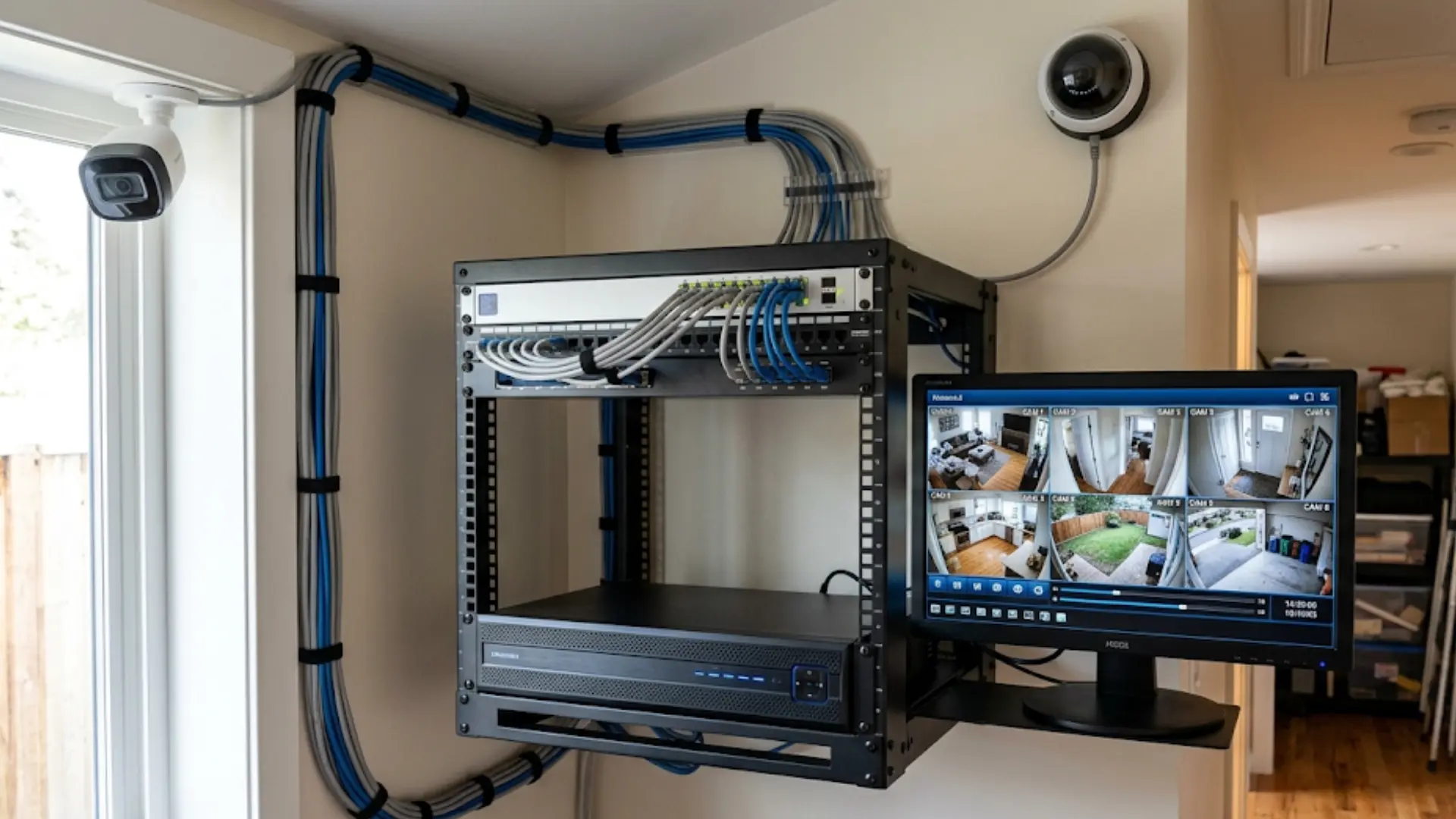
Newer network camera systems commonly use Ethernet cables connected to an NVR.
Power over Ethernet, or PoE, allows one Ethernet cable to carry both power and digital video data. This can reduce the amount of separate wiring required for each camera.
The NVR handles recording, storage, camera management, and network access.
4. Backup Power and Communication
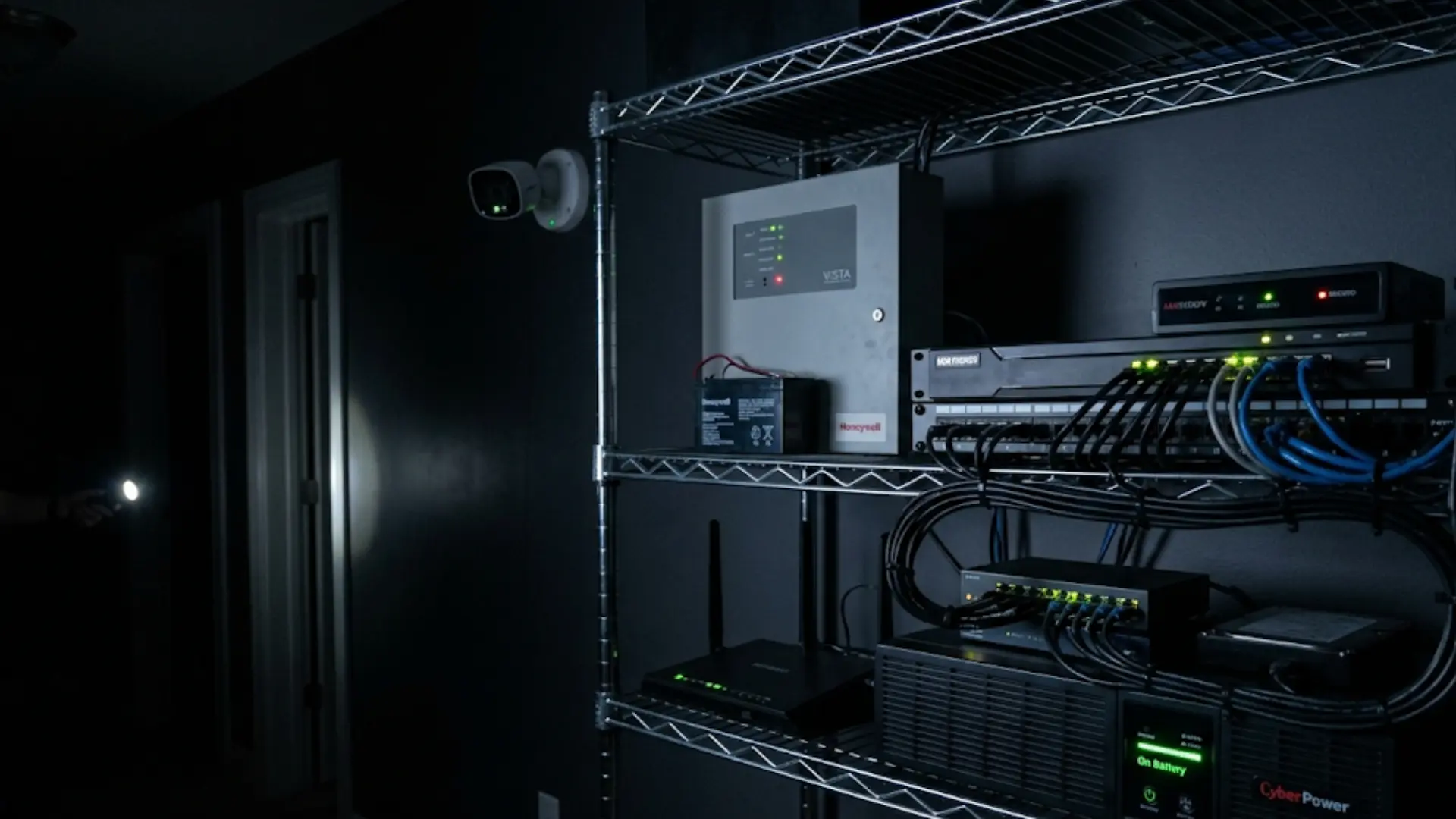
A wired system still requires electricity. Fixed cables remove some battery concerns, but they do not make equipment independent of the electrical supply.
Alarm panels often contain backup batteries that can support essential functions during a temporary outage.
Camera systems may require a separate uninterruptible power supply, or UPS, if recording needs to continue when household power fails.
Internet loss creates a different issue. Local alarms and recording may keep working, while mobile notifications, remote viewing, cloud services, or certain monitoring features may stop until the connection returns.
Benefits of a Wired Security System
Wired security can be a strong option when consistent device communication and permanent installation matter more than quick setup.
- Stable Connection: Physical cables reduce problems related to wireless range, congestion, and interference between security devices.
- Less Battery Maintenance: Many fixed devices receive their operating power through wiring, so routine battery replacement may be reduced.
- Local Recording: DVR and NVR systems can store footage on local hard drives instead of depending entirely on cloud storage.
- Consistent Camera Traffic: Wired cameras can send continuous video to a recorder without relying on the strength of a Wi-Fi signal.
- Permanent Setup: Planned cable routes can support a fixed security layout designed around entrances, rooms, outdoor areas, and other important locations.
- Lower Wireless Dependence: Essential communication between devices does not need to travel entirely through radio signals or household Wi-Fi.
These strengths are especially useful when the equipment is expected to remain in the same locations for many years.
Drawbacks of Wired Security Systems
The main trade-offs appear during installation, expansion, and equipment changes rather than normal day-to-day operation.
- More Installation Work: Running cables through walls, ceilings, attics, basements, or crawl spaces can require significant labor.
- Harder Device Relocation: Moving a sensor or camera often means changing its cable route rather than simply mounting the device somewhere else.
- More Planning Up Front: Device locations, recorder placement, panel access, and cable paths should be considered before installation begins.
- Expansion Can Require New Cabling: Adding security points later may mean routing additional cables through finished areas.
- Electrical Backup Still Matters: Wired does not mean immune to power interruptions. Batteries or a UPS may still be needed.
- Finished Properties Can Be Difficult: Existing walls and limited access areas can make clean cable installation more complicated.
These limits do not make wired security a poor option, but they make property layout an important part of the decision.
Wired vs. Wireless Security Systems
Wired and wireless security systems solve many of the same problems, but they handle installation and device communication differently.
The comparison below highlights the biggest practical differences.
| Area | Wired Security | Wireless Security |
|---|---|---|
| Device Connection | Physical cables | Wireless signals |
| Installation | More planning and cable work | Usually faster |
| Signal Range | Less dependent on Wi-Fi range | Can be affected by distance and barriers |
| Battery Use | Lower for many fixed devices | More common |
| Device Relocation | More difficult | Usually easier |
| Local Recording | Common with DVR/NVR systems | Depends on equipment |
| Expansion | May require additional cabling | Often easier |
| Best Fit | Long-term fixed installations | Flexible or difficult-to-wire spaces |
A wired system often suits permanent installations where consistent connections are a priority. Wireless security can make more sense when easy placement, quicker installation, or frequent equipment changes matter more.
Wired home security systems are often better suited to properties where devices can remain in fixed locations for years. Hybrid systems provide another option by combining wired equipment with selected wireless devices.
How Much Does a Wired Security System Cost?
Wired security system costs vary based on equipment, property size, cable access, installation work, monitoring options, and the number of connected devices.
| Cost Area | What Affects the Cost |
|---|---|
| Equipment | Number of cameras, sensors, keypads, sirens, DVR or NVR capacity, storage size, and backup power equipment |
| Installation | Property size, cable length, wall access, number of floors, existing wiring, and difficulty of running new cables |
| Monitoring | Professional monitoring plans may add recurring monthly or annual charges, depending on the service provider and system |
| Storage | Local hard drives may require upgrades or replacement, while some cloud storage services charge recurring fees |
| Maintenance | Backup batteries, damaged cables, cameras, recorders, and other components may need occasional repair or replacement |
| Future Expansion | Adding more sensors, cameras, storage, or cable routes can increase costs after the original installation |
Checking both upfront and ongoing expenses helps you compare systems fairly and choose equipment that fits your property without unnecessary spending.
Wired Security System Installation
Installing a wired security system requires careful planning, cable routing, equipment placement, and testing before the setup is ready for regular use.
- Identify Areas That Need Protection: Mark entry doors, accessible windows, hallways, garages, driveways, and outdoor areas that need sensors, cameras, or other security equipment installed.
- Choose a Central Equipment Location: Select a protected, accessible spot for the control panel, DVR, or NVR with practical access to planned cable routes nearby.
- Plan the Cable Routes: Plan cable routes through walls, ceilings, attics, basements, or crawl spaces while avoiding unnecessary bends, exposure, and difficult maintenance areas.
- Run and Label the Cables: Run each cable to its assigned camera, sensor, keypad, or recorder, then label both ends for easier maintenance and testing.
- Connect the Security Equipment: Connect cameras, sensors, keypads, and recording equipment according to system requirements, then confirm power and communication between every connected device.
- Test the Complete System: Test camera views, sensor responses, recording settings, alerts, backup power, and remote access to confirm every security point works correctly.
- Consider Professional Installation: Consider a trained security or low-voltage technician when installation requires difficult cable runs through finished walls, ceilings, or restricted spaces.
Which Wired Security Setup Fits Your Property?
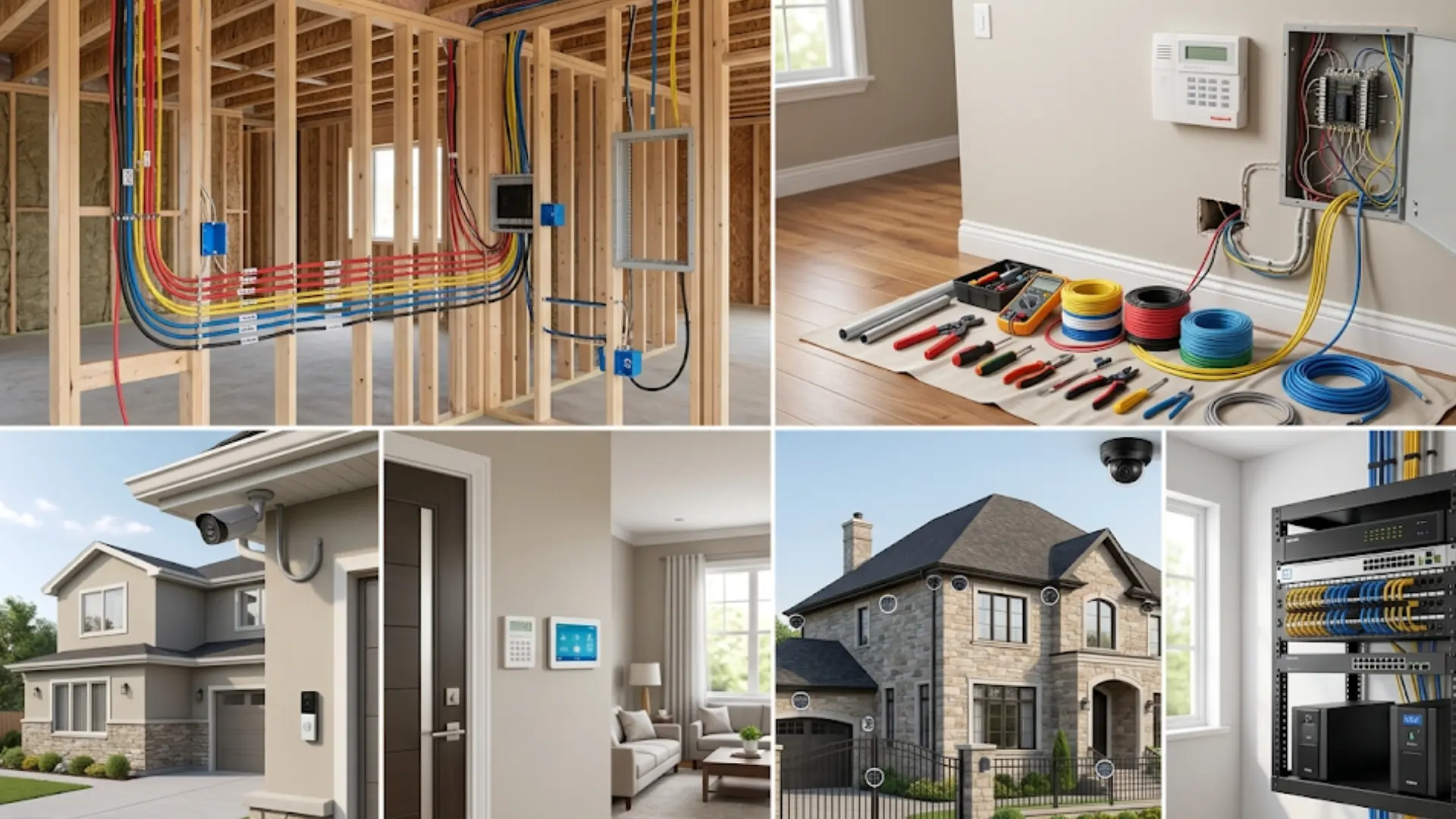
Property condition can affect the practicality of wired security just as much as equipment features.
1. New Construction
New construction provides one of the easiest opportunities to install a complete wired system.
Alarm, camera, and network cables can be planned before walls and ceilings are finished. That makes it easier to place connections exactly where sensors, cameras, panels, and networking equipment are expected to go.
Extra cable routes can also be considered for future additions.
2. Properties With Existing Wiring
Older alarm wiring may sometimes be reused when upgrading a security system.
Before connecting new equipment, the wiring should be checked for damage, poor connections, and compatibility with the planned control panel.
Some hybrid alarm panels can work with existing wired sensors while supporting newer communication options. Compatibility should be confirmed for the specific panel and devices being used.
3. Finished Properties
A finished property can still use wired security, but cable access becomes more important.
Attics, basements, utility spaces, suspended ceilings, and crawl spaces may provide practical routes. Areas without easy access may require more invasive installation.
In those cases, a hybrid setup can allow important cameras or sensors to remain wired while wireless devices cover harder-to-reach locations.
4. Larger Properties
Larger properties can benefit from a planned wired network when many cameras or alarm points need dependable connections.
Recorder capacity, cable distance, network equipment, storage needs, and future expansion should be considered before installation begins.
What to Look for When Choosing a Wired Security System
Comparing equipment becomes easier when the decision starts with practical requirements instead of individual product features.
- System Type: Decide whether the priority is intrusion detection, video surveillance, or both.
- Camera Connection: Choose between coaxial DVR equipment and Ethernet-based NVR or PoE systems.
- Recorder Capacity: Check how many camera channels the DVR or NVR supports.
- Storage Space: Consider how much video needs to be retained and how long recordings should remain available.
- Backup Power: Check how the alarm panel, recorder, cameras, and network equipment respond during outages.
- Remote Access: Confirm which features depend on internet access and which continue locally.
- Expansion Space: Leave room for additional cameras, sensors, storage, or connected equipment if future additions are likely.
- Monitoring Preference: Decide between self-monitoring and outside monitoring services where supported.
- Existing Wiring: Inspect usable cable before assuming older wiring can support new equipment.
- Subscription Requirements: Check which functions work locally and which require recurring cloud or monitoring services.
Looking at these factors together helps prevent buying equipment that works well on paper but does not fit the property.
Is a Wired Security System Worth It?
A wired security system can make sense when long-term reliability and fixed equipment placement matter more than quick installation.
It is particularly practical for new construction, properties with usable alarm wiring, larger spaces, and locations where several cameras need continuous connections to a recorder.
It can also suit people who prefer local video storage rather than depending entirely on cloud recording.
Wireless equipment may be more practical when cable installation would require major wall work or when sensors and cameras need to move frequently.
A hybrid system can provide another option by keeping important devices wired while using wireless equipment where running new cable is difficult.
Conclusion
I see that setting up home protection is really about matching your space with the right approach.
You now know how wiring affects reliability, how recording and monitoring work, and why planning power and cable routes matters.
I’ve also shown you when a full wired setup makes sense and when a hybrid option is more practical. These points help you avoid overspending and choose equipment that actually fits your needs.
A well-planned wired home security system can give you steady performance and peace of mind in daily use. If this helped you, I’d love for you to share your thoughts or check out more guides to make your setup even better.
Frequently Asked Questions
Do wired home security systems work without internet?
Many wired camera systems can continue recording locally via an NVR or DVR when internet service is unavailable. However, remote viewing, phone notifications, cloud backups, and some monitoring features may not work.
Can a wired security system work during a power outage?
Wired security systems need electricity, but backup batteries or UPS devices can keep some equipment running. Alarm panels often include battery backup, while camera systems may need separate backup power.
Are wired security systems safer from hacking?
Wired systems reduce some wireless risks but are not impossible to hack. Internet-connected recorders, apps, and network equipment can still create security risks without proper passwords and updates.
Are wired security systems worth it?
Wired security systems are worth considering for homeowners who want stable connections, local storage, and long-term reliability. They work well for new builds, larger properties, and homes with existing wiring.