
Businesses lose money when stock runs out or piles up unsold. Inventory software exists to prevent exactly that.
Running a business across warehouses, stores, and online channels makes stock tracking complicated fast. One wrong count can ripple into delays, overselling, or wasted spend.
That’s where inventory management software steps in. It keeps every product movement recorded, every channel updated, and every team working from the same numbers.
Here, you’ll find how inventory software tracks stock movement, automates updates, and keeps operations running smoothly.
What is Inventory Management Software and What Does it Do?
Inventory management software gives businesses one central place to track stock across warehouses, stores, and sales channels. Every movement, whether a sale, return, transfer, or purchase order, updates automatically inside a single connected database.
That database becomes the backbone of daily operations. E-commerce platforms, POS systems, warehouses, and accounting software all pull from it, keeping stock records consistent without manual re-entry.
Here is what the software actively records and manages:
| Data Type | Examples |
|---|---|
| Stock quantities | Available, reserved, and incoming units |
| Locations | Warehouses, retail shelves, fulfillment centers |
| Transactions | Sales, returns, transfers, purchase orders |
| Connected systems | E-commerce, POS, accounting, shipping tools |
Without accurate real-time updates, counts drift fast. Overselling, fulfillment delays, and mismatched records across locations are the most common consequences.
One important limitation: the software tracks what gets recorded, not what physically exists. Accurate inventory still depends on employees scanning, logging, and updating movements correctly.
How Inventory Enters the System
Inventory is entered into the system when businesses receive products from suppliers. Employees verify shipments, confirm quantities, and add incoming stock to the inventory management platform.
Each product receives a digital record containing details such as product name, SKU, pricing, supplier information, inventory quantity, and assigned storage location in the system.
Businesses also assign tracking identifiers to products, such as:
- Barcodes
- QR codes
- RFID tags
These identifiers help the software recognize and track inventory accurately across warehouses, stores, and fulfillment locations.
The software records where products are stored, including warehouses, retail shelves, stockrooms, and distribution centers. This makes inventory easier to locate and manage later.
Inventory management software connects physical products with digital inventory records. Every scan, movement, transfer, or sale updates the system and keeps stock information current.
How Barcode and RFID Tracking Work
Barcodes require manual scanning to identify products, while RFID uses radio signals for automatic detection. Both methods instantly connect physical inventory with digital product records.
When employees scan products, the system reads the identifier, matches it with product data, and automatically updates inventory quantities and storage locations in real time.
Missing scans, damaged labels, duplicate SKUs, or poor RFID configuration can create inaccurate inventory records. Barcodes only contain identifiers, not complete inventory information themselves.
How Inventory Tracking Works in Real Time
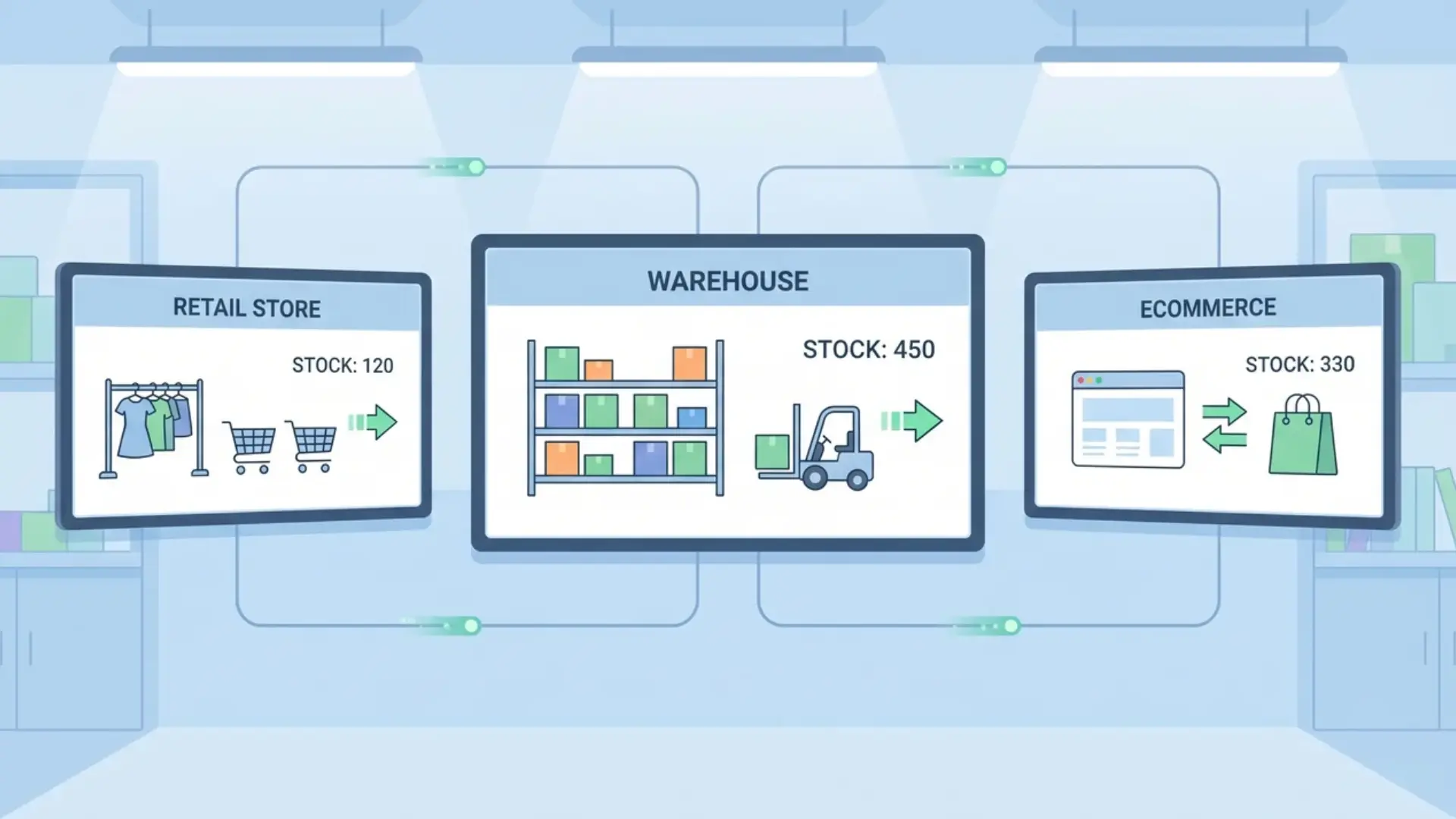
Every time stock moves, the system records it. Sales, returns, transfers, incoming shipments, and manual adjustments all trigger automatic updates across every connected warehouse, store, and sales channel.
This gives every team, from fulfillment to purchasing, a live view of what is actually available at any given moment.
The six core movements that keep inventory current:
- Receiving new stock
- Customer purchases
- Product returns
- Warehouse transfers
- Shipped orders
- Manual adjustments
With all locations pulling from the same live data, employees spend less time verifying counts and more time acting on them. Faster decisions, fewer oversells, and cleaner fulfillment records follow naturally.
What Triggers Automatic Inventory Updates
Inventory updates begin when transactions occur across connected systems, such as POS platforms, e-commerce stores, warehouse scanners, or inventory management applications used daily by employees.
Several activities can trigger automatic inventory updates, including:
- POS sales are reducing the stock
- E-commerce orders updating quantities
- Warehouse scans are changing locations
- Returns increasing available inventory
- Transfers moving stock between locations
When a transaction occurs, the connected system sends inventory data to the inventory management platform. The software then updates stock records automatically in real time.
Updated inventory quantities become visible across connected warehouses, stores, ecommerce platforms, and fulfillment systems, helping businesses maintain consistent stock information everywhere.
Delayed synchronization can still lead to problems such as overselling, inventory mismatches, or inaccurate stock counts. Offline systems and incorrect manual adjustments can also affect inventory accuracy.
How Inventory Management Software Connects with Other Systems
Inventory management software connects all business systems by keeping stock data in one central source, so warehousing, accounting, fulfillment, and purchasing stay fully synchronized in real time.
| Integration | What It Does for Your Inventory |
|---|---|
| E-commerce Platforms | Syncs online orders instantly, preventing overselling across storefronts |
| POS Systems | Updates stock in real time with every in-store sale or return |
| Accounting Software | Keeps purchase costs, stock value, and financials consistently aligned |
| Warehouse Systems | Tracks storage locations, transfers, and fulfillment activity accurately |
| Shipping Tools | Confirms dispatch and adjusts available inventory as orders leave |
Without these connections, each platform builds its own version of the truth. That gap is where overselling, duplicate entries, and inventory mismatches quietly take root.
How Multi-Channel Inventory Synchronization Works
Multi-channel synchronization keeps stock levels consistent across every sales channel whenever a purchase, return, transfer, or fulfillment event occurs. The process follows three steps:
- Sales channel sends transaction data for every purchase, return, transfer, or fulfillment event in real time
- Inventory system recalculates stock levels instantly based on updated transaction inputs from connected channels
- Updated quantities are pushed back to all sales platforms to keep availability consistent everywhere
- Synchronization continues continuously in the background to prevent overselling and data mismatches across channels
When every channel pulls from the same live inventory, overselling becomes far less likely during order processing and fulfillment.
That said, sync is not always instant. Speed depends on:
- API performance
- Internet connectivity
- Software configuration
- Product mapping accuracy
Note: Offline systems or incorrect integrations can still cause stock mismatches, even with synchronization in place.
How Automation Works Inside Inventory Software
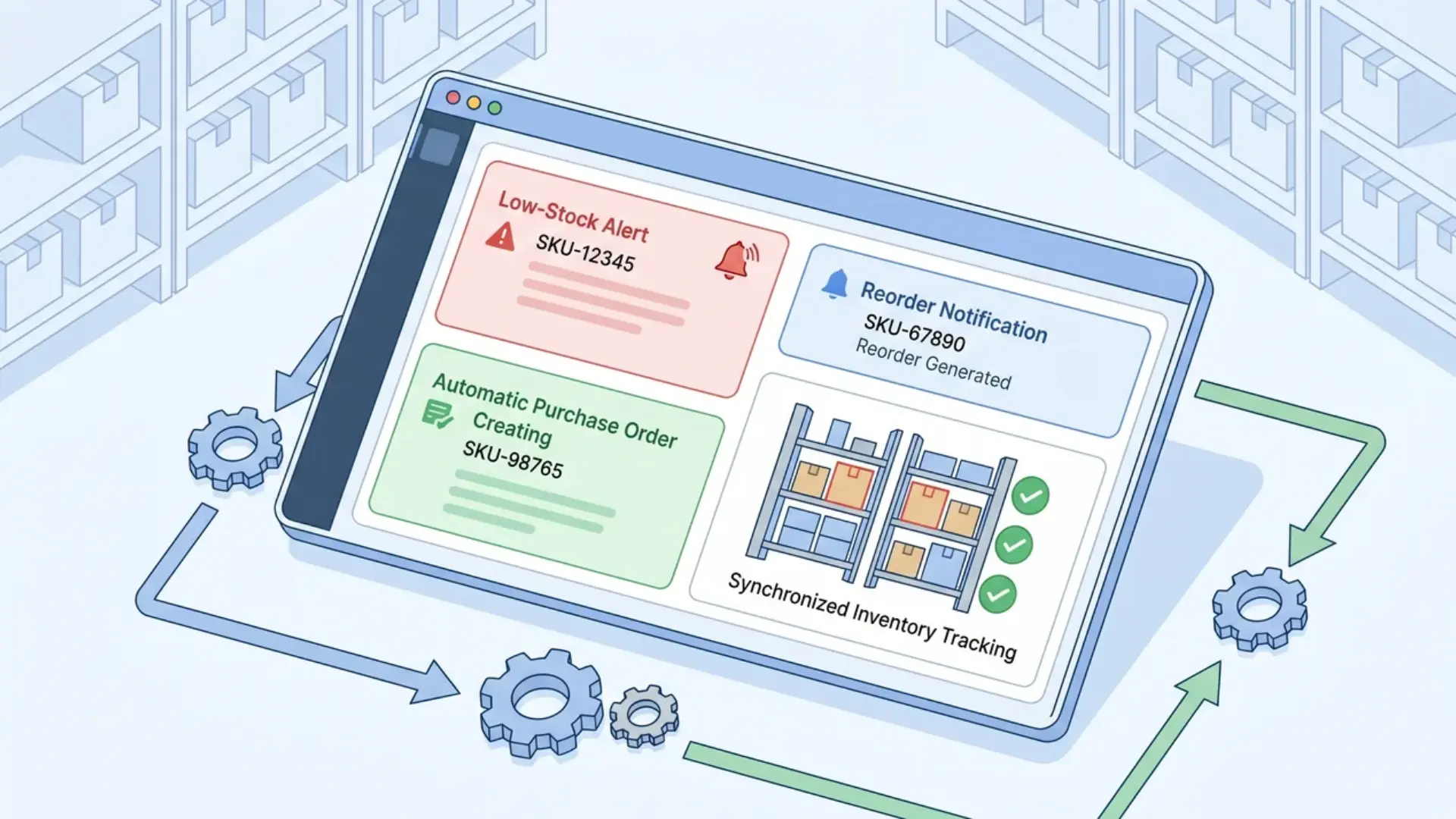
Inventory software continuously monitors stock levels and triggers actions automatically when predefined conditions are met, removing the need for constant manual oversight. Common automation features include low-stock alerts, reorder point triggers, purchase order generation, inventory allocation rules, and recurring stock workflows.
This reduces repetitive admin work while keeping replenishment timing accurate and carrying costs balanced.
How Reorder Points Are Calculated
Reorder points tell the system exactly when to act before stock runs too low. Most calculations factor in:
- Minimum stock thresholds
- Supplier lead times
- Sales velocity
- Safety stock levels
Once a threshold is hit, the software can trigger alerts, recommend replenishment, generate purchase orders, or notify purchasing teams automatically.
Note: Automation supports inventory planning but does not replace it. Sudden demand spikes, incorrect thresholds, or inaccurate sales data can still affect replenishment accuracy, so human oversight remains important.
Typical Inventory Management Workflow from Start to Finish
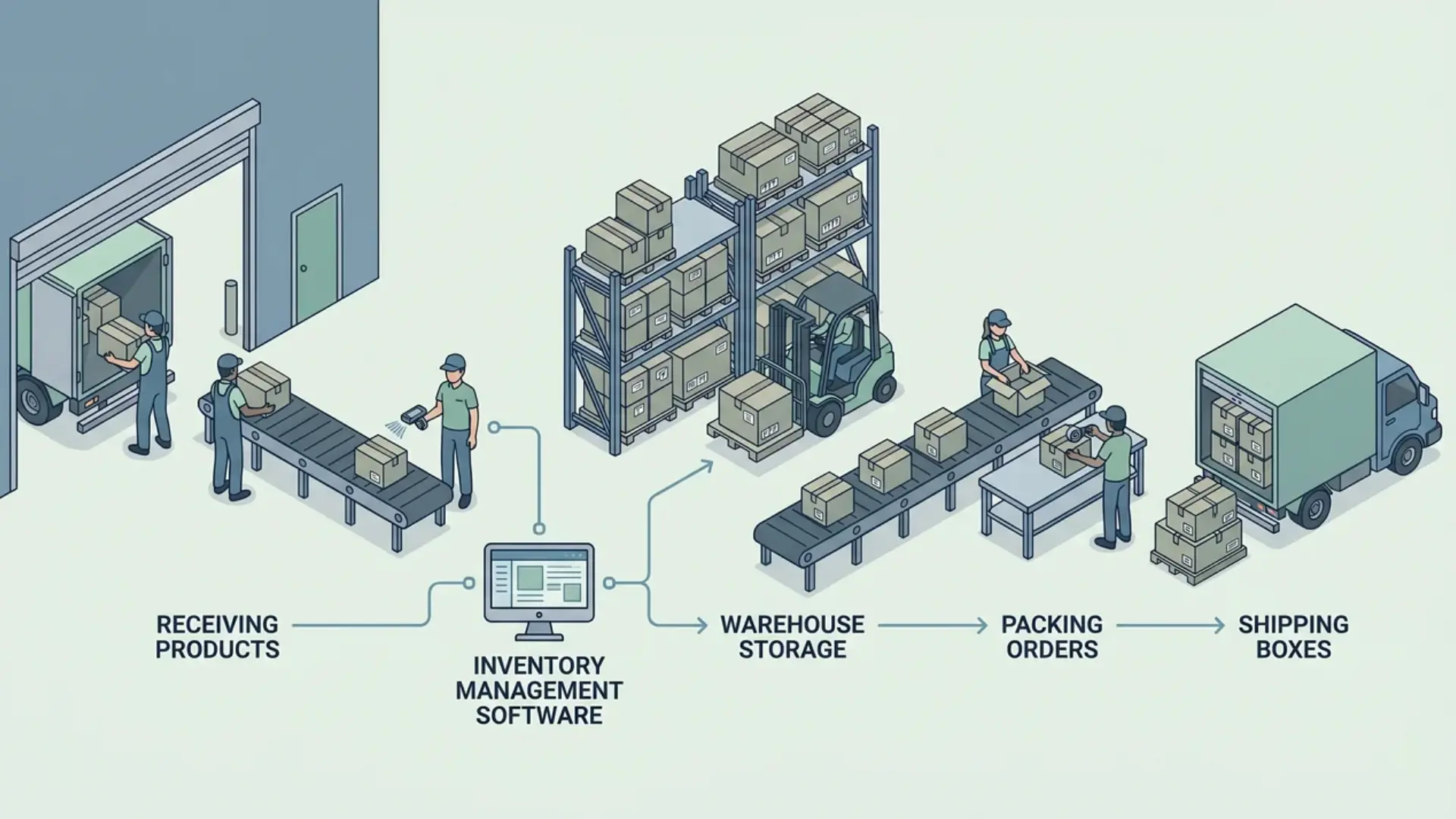
Inventory management software continuously connects physical inventory movement, transaction data, automated stock updates, and replenishment decisions to keep inventory operations synchronized across business systems.
Here’s how the whole process works:
- Receiving Inventory: Employees verify supplier shipments and record incoming products inside the inventory system to maintain accurate stock tracking from the beginning.
- Scanning Products: Barcodes, QR codes, or RFID tags automatically connect physical inventory with digital product records in the inventory management platform.
- Assigning Storage Locations: Products are assigned to warehouses, stockrooms, retail shelves, or fulfillment centers for easier inventory tracking and product access.
- Processing Sales: E-commerce platforms, POS systems, and marketplaces automatically reduce inventory quantities whenever customers purchase products through connected sales channels.
- Updating Stock Levels: Connected systems synchronize inventory records automatically across warehouses, stores, and fulfillment operations to maintain consistent stock visibility everywhere.
- Fulfilling Orders: Warehouse teams pick, pack, and ship products while inventory software continuously updates fulfillment progress and available inventory quantities.
- Reducing Inventory Quantities: Inventory levels decrease automatically whenever products are sold, transferred, returned, damaged, or manually adjusted inside the system.
- Triggering Low-Stock Alerts: The system sends automatic notifications when inventory reaches predefined thresholds, indicating that replenishment may soon be necessary.
- Creating Replenishment Orders: Inventory software generates or recommends purchase orders once stock falls below reorder points based on sales activity patterns.
- Repeating the Inventory Cycle: Businesses continuously receive products, process orders, update stock records, and replenish inventory through connected operational workflows.
Continuous transaction tracking helps inventory software maintain synchronized stock records across connected systems, warehouses, sales channels, and fulfillment operations throughout the inventory lifecycle.
Missed scans, delayed receiving updates, or manual workarounds can interrupt inventory accuracy and create mismatched stock records across connected business systems and sales channels.
Common Limitations of Inventory Management Software
Inventory management software improves stock tracking and automation, but inventory accuracy can still fail when updates, integrations, or operational processes are handled incorrectly.
- Missed Scans: Unrecorded inventory movements create inaccurate stock counts and mismatched inventory records across connected systems and warehouse locations.
- Delayed Updates: Slow synchronization can cause overselling, fulfillment delays, and incorrect stock availability across ecommerce stores and warehouses.
- Employee Errors: Incorrect manual entries, duplicate SKUs, or scanning mistakes can significantly reduce inventory accuracy and reporting reliability.
- Poor Integrations: Weak system integrations may create duplicate records, incomplete reporting, or inconsistent inventory visibility across business operations.
- Missing Inventory Records: Untracked returns, damages, or transfers can create inventory discrepancies between physical stock and software records.
Inventory software automatically tracks recorded transactions instead of physical inventory. Missing or inaccurate inventory entries can quickly reduce stock visibility and reporting accuracy.
Automation reduces repetitive work and inventory mistakes, but businesses still need proper oversight, accurate data entry, and regular physical inventory audits.
Wrapping Up
Inventory management software helps businesses manage stock more accurately by integrating inventory tracking, automation, reporting, synchronization, and replenishment into daily operational workflows.
Real-time inventory visibility and automated stock updates help businesses reduce inventory errors, improve fulfillment accuracy, and maintain consistent inventory records across connected systems.
Understanding these inventory processes can help businesses improve inventory accuracy, reduce operational inefficiencies, and build more reliable inventory workflows.
Frequently Asked Questions
Can inventory management software work without internet access?
Some inventory systems temporarily support offline operations, but real-time synchronization and automatic updates usually require stable internet connectivity across connected systems.
How often should businesses perform physical inventory audits?
Most businesses perform inventory audits monthly, quarterly, or annually, depending on inventory size, stock movement frequency, and operational accuracy requirements.
Is inventory management software useful for small businesses?
Inventory management software helps small businesses improve stock accuracy, reduce manual work, prevent stock shortages, and manage inventory operations more efficiently.
Can inventory management software track expiration dates?
Many inventory systems can track expiration dates, batch numbers, and product shelf life to help businesses manage time-sensitive inventory properly.