In the pipeline maintenance industry, “guessing” often translates to costly excavation expenses and wasted time. For professionals, it’s precisely in areas beyond the naked eye where tools’ true capabilities are put to the test.
Hello everyone, welcome to this review. Today, we’re evaluating the SANYIPACE S610ASMKTCP sewer inspection camera. This device boasts an upgraded touchscreen, high-definition visualization capabilities, and precise distance measurement.
Since it boldly claims to “eliminate guesswork,” we won’t just evaluate its image quality today. We’ll put it through real-world simulations to see if it truly becomes our “X-ray vision” in complex bends and waterlogged environments.
S610ASMKTCP Features an Upgraded Touchscreen Interface.
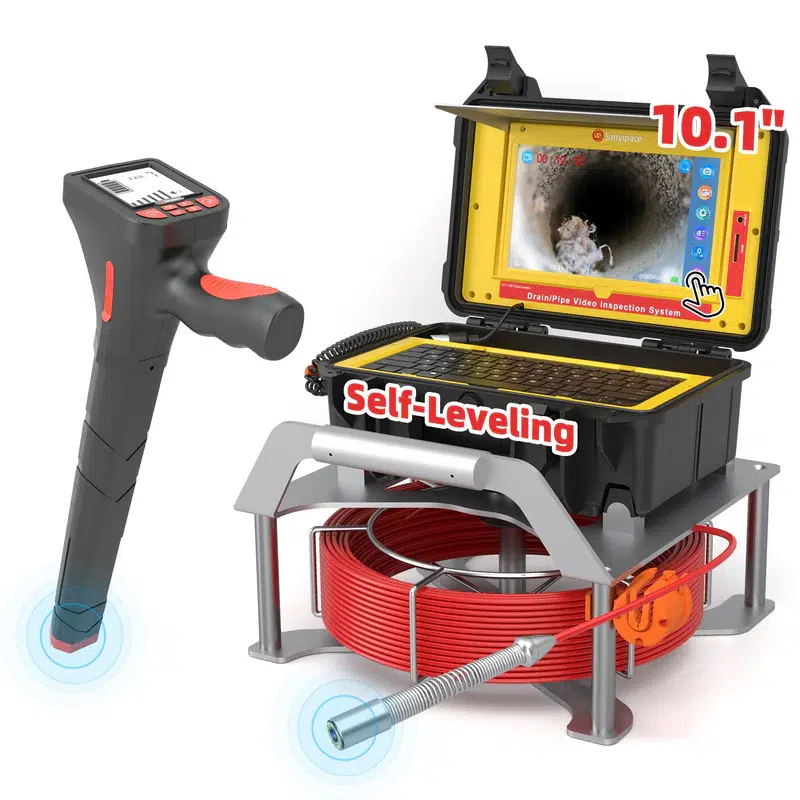
As shown in the image above, we see the overall appearance of the Sanyipace S610ASMKTCP. This inspection device stands apart from other products with its striking yellow and red color scheme, creating a highly eye-catching impression.
At its core is a 10.1-inch ultra-clear touchscreen, serving as the control center for the entire device and making the entire operation process significantly more straightforward.
In Real Pipes, Lighting Control Is Everything
This sewer inspection camera probe features a 23mm diameter, an IP68 waterproof rating, and is equipped with 12 LEDs that provide five levels of brightness adjustment.
Here’s the reality I always come back to: pipes aren’t just dark—they’re wet and reflective. That’s why “bright lights” alone isn’t the flex. The flex is being able to dial brightness up or down so you’re not staring at a blown-out glare or a dim blur where you’re basically guessing. In a real inspection, readable footage is what lets you say, confidently, “That’s buildup,” “That’s a crack,” or “That’s root intrusion”—instead of “I think… maybe.”
The S610ASMKTCP pipe camera solves this problem well, featuring 5 levels of adjustable LED lights and 2x digital zoom, revealing details even in darkness.
The Feature I Personally Would Pay For: Self-Leveling
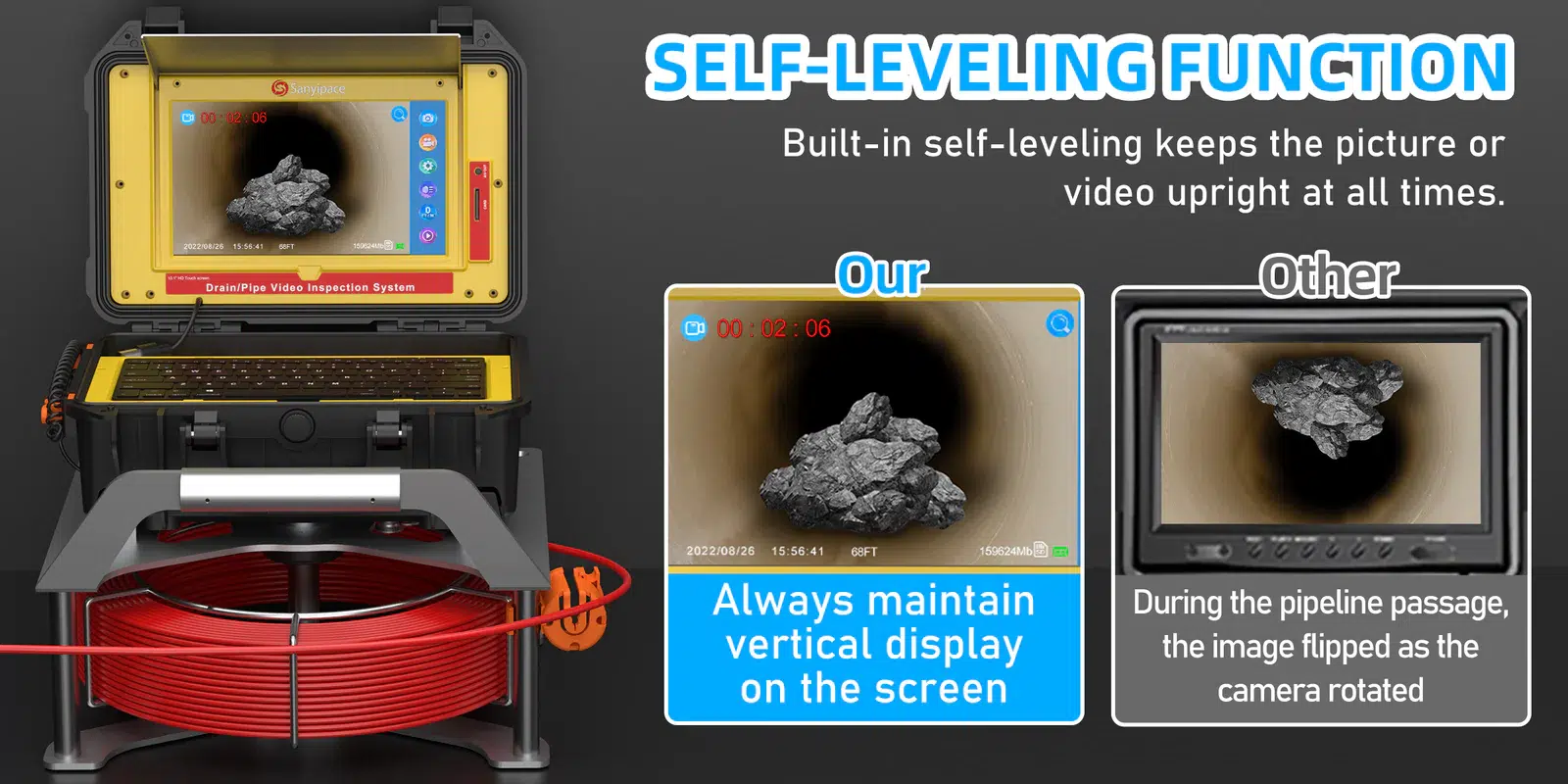
This is the part that (in my opinion) separates “toy footage” from “usable footage.” The S610ASMKTCP features gravity-sensing self-leveling, ensuring the image remains upright even if the pipe camera rotates or tilts in the pipe.
If you’ve ever watched spinning pipe footage, you know how fast confidence drops. And if a homeowner, tenant, or client is standing behind you asking what they’re looking at, spinning footage turns your explanation into a mess. Self-leveling keeps the story simple: you can point at the screen and explain the problem without everyone getting dizzy.
“Wait—Is That Damage?” The Zoom Helps You Decide
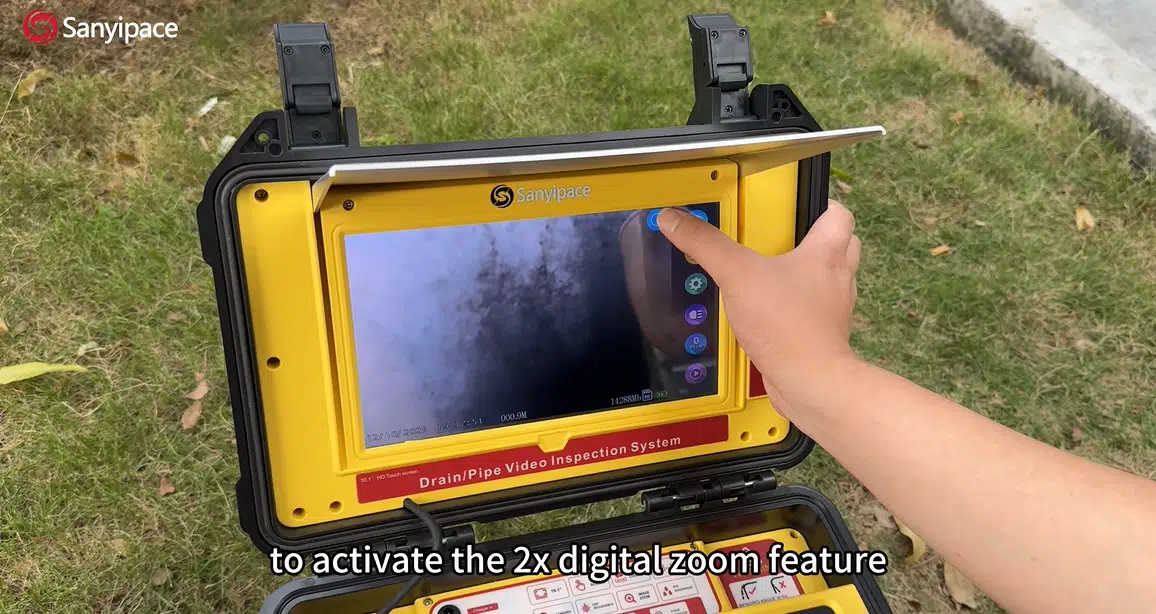
The demo material calls out a 2x digital zoom triggered on the screen.
Digital zoom won’t create detail out of thin air, but it does help in the exact moment you need it: when you see something suspicious and you’re deciding whether it’s a joint line, a scratch, or a real defect. In reviewer terms: it’s a small feature that speeds up decision-making.
512 Hz Locating: Where the Money Gets Saved
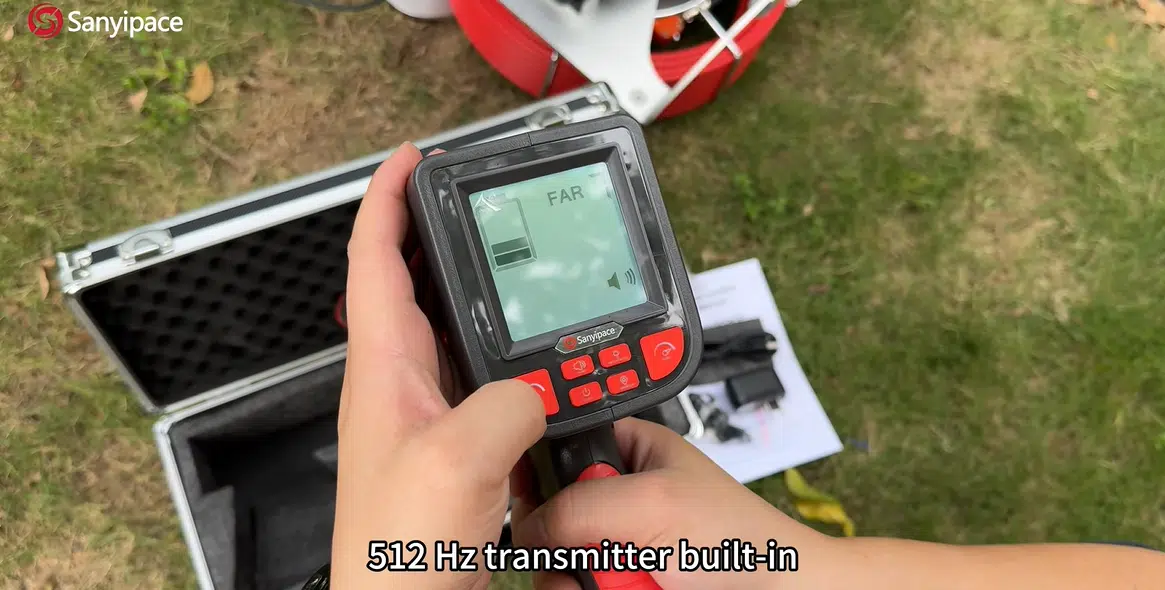
The S610ASMKTCP includes a built-in 512 Hz transmitter, described as working with a locator above ground—beeping more urgently as you get closer to the fault point—so you can pinpoint the problem location and avoid blind excavation.
Here’s my blunt take: this is the difference between “finding the problem” and “fixing the right spot.” If digging is ever on the table—yard, driveway, slab—being “almost sure” is still expensive. Locating is the feature that can pay for itself the first time it prevents digging in the wrong place.
Documentation: The Part People Underestimate Until They Need It
The S610ASMKTCP leans hard into documentation: full-HD recording, screenshots, screen recording, and even text annotations via an included wireless keyboard (example: “root intrusion found at XX meters”).
This is one of those “boring features” that becomes powerful in real life. A short clip and a clean screenshot can instantly change the conversation from “maybe it’s…” to “here’s exactly what it is.” That makes repair decisions easier, approvals faster, and repeat issues easier to track.
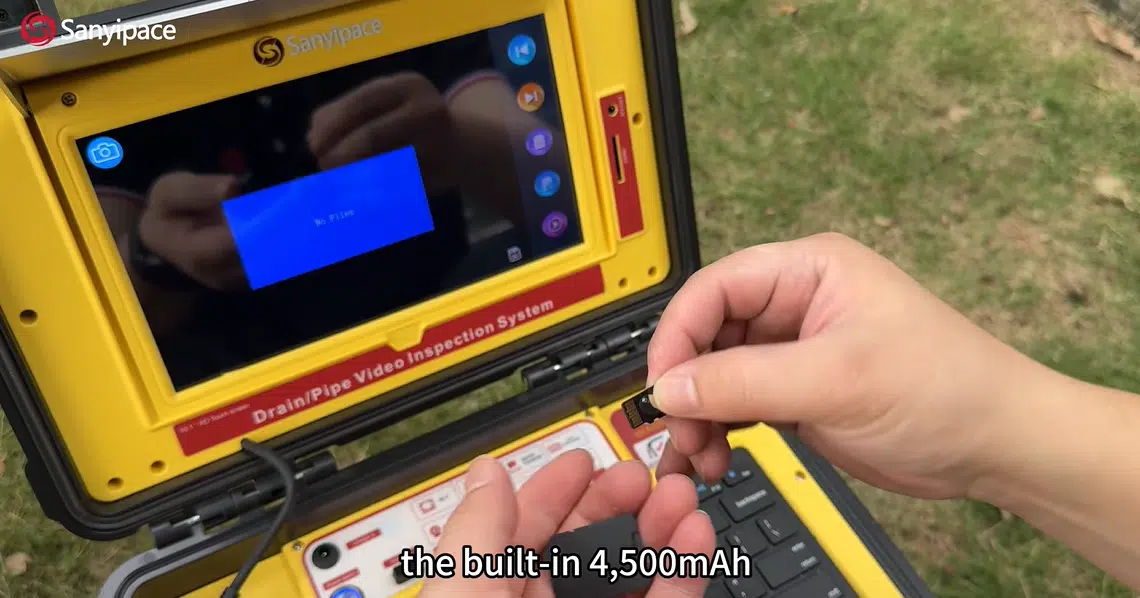
Storage is listed as 32 GB included, expandable to 128 GB, and there’s a 4,500 mAh battery described as supporting a full day of intense work—with real-time playback to confirm issues on-site.
The Push Coil + Cleanup Reality
It’s described as using a 7 mm reinforced coil intended to be tough and crush-resistant.
My reviewer’s honesty: push-coil performance always depends on the pipe. Tight bends, heavy buildup, and standing water sections can make any system harder to feed. Still, a tougher coil is exactly what you want if you’re tired of equipment feeling “too delicate” for real drain work.
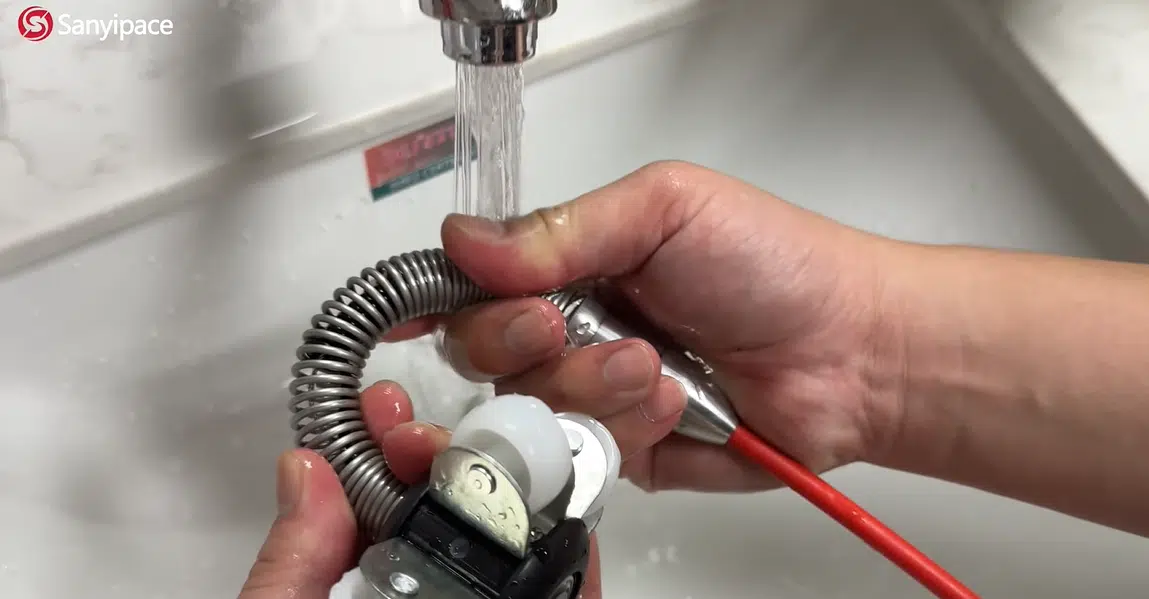
Cleanup is the kind of ownership detail I love seeing called out: retract the coil with a press, then rinse the IP68 waterproof camera directly with water.
Tools that are annoying to clean get used less. Simple maintenance increases the odds this actually stays in rotation.
My Verdict
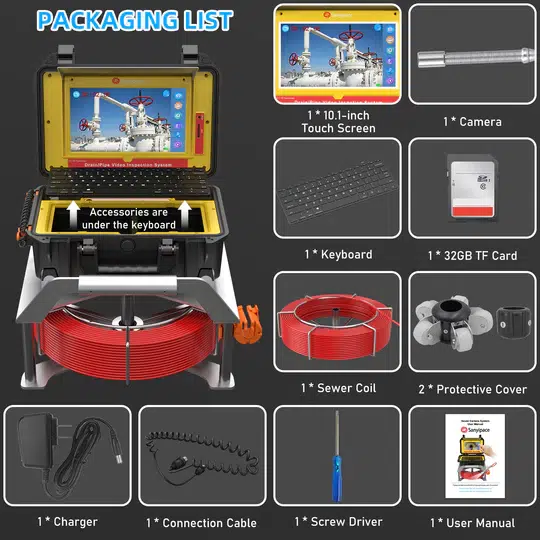
If you’re the type of person who hates repeating the same drain job twice, the S610ASMKTCP’s feature mix makes sense: a large touchscreen control hub, adjustable lighting for real-pipe visibility, self-leveling for readable footage, built-in recording for proof, and 512 Hz transmitting for pinpointing problem spots when digging is a possibility.
The only “buyer mindset” I’d keep is this: match the tool to your reality. If you never dig, locating might not matter as much. If you do outdoor lines or spot repairs, locating is the difference between confidence and chaos.