A desk can look right and still feel wrong by mid morning. Your wrists hover, and your shoulders creep upward without you noticing. Then the cords catch on your chair, and you spend the next hour nudging things back into place. It is a small annoyance, yet it repeats so often that it becomes the whole mood of the room.
I ran into this during a stretch of long calls and late edits, when my “good enough” setup stopped being good enough. The fix was not a prettier desk, it was a desk that matched how I sit, how I reach, and where my screens actually land. That is why the perfect wood desk for your home office starts with fit before anything else. Once the desk respected my posture, the rest of the choices got easier, because everything had a clear purpose.
Start With Fit, Because Your Body Keeps Score
Desk customization sounds like a design choice, yet your posture sets the rules. When height and depth are slightly off, your body compensates without asking permission. That adds up over weeks, and it shows up as tight shoulders.
A simple posture check helps you avoid that slow creep. OSHA points out that chair and workstation setup should support stable posture and feet contact. That guidance sounds basic, and it saves you from guessing.
Screen placement matters too, especially when laptop work mixes with a monitor. If the desk is shallow, the screen sits close, and your neck leans forward. A deeper top gives you breathing room, and your eyes relax.
The useful part is turning comfort into a few real measurements. When I finally wrote mine down, decisions stopped feeling abstract and emotional. The desk started to feel like a tool again, not a vibe.
- Seated elbow height stays steady when shoulders relax and wrists remain straight while typing.
- Keyboard depth leaves room for forearms, so you are not balancing on the desk edge.
- Monitor distance feels easy, and the desk depth supports that placement without crowding cables.
- Leg clearance fits chair arms, footrests, and the way you sit when you are tired.
Map Your Surface Like A Workday, Not A Photo
Most desks fail at the top surface, not the legs or finish. They look spacious until the monitor stand arrives, and the clutter starts migrating. Then the mouse area shrinks, and you work on the edge.
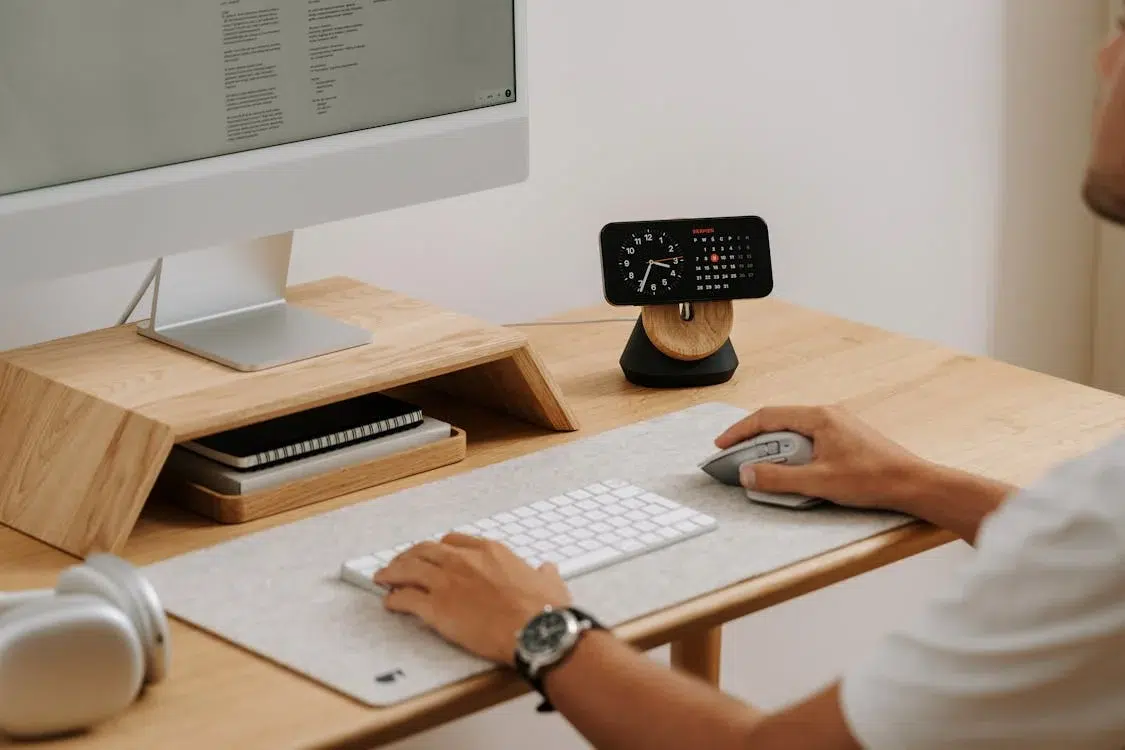
It helps when the surface has zones that match real habits. One zone holds keyboard and mouse, and another holds writing and reference items. A third zone can hold charging and audio gear, so it stays out of the way.
Depth often matters more than width, and that surprised me at first. A wide desk feels generous, yet two screens still need distance for comfort. When the screens sit farther back, your shoulders soften, and you stop leaning.
Cables belong in the plan, even if you prefer not thinking about them. If power access is hidden, it still needs to be reachable on a normal day. Otherwise the “clean look” turns into a crawling routine behind the desk.
Pick Materials And Details That Age Well
Wood choices are not only about color, because wood reacts to the air in your home. When humidity changes, wood absorbs and releases moisture, and it moves a little. That movement is normal, and a smart build accounts for it.
The USDA Forest Products Laboratory Wood Handbook goes deep on moisture behavior and wood properties. It is a dry read, yet it explains why tops cup or seams shift. It also helps you ask better questions about grain direction and panel build.
Finish matters in a quiet, practical way, since daily life is not gentle. Coffee rings, skin oils, and quick wipe downs show up faster than people expect. A finish that matches your routine keeps the desk looking steady, not stressed.
Build details matter just as much as the wood species itself. Corners chip first during bumps, and cable holes can crack if they sit near weak spots. Hardware also counts, because loose joints feel worse every month.
Think About Movement, Because Rooms Change
Even if you love your place, furniture still gets moved more than planned. A rug swap, a deep clean, or a room change can turn into an awkward carry. That is when desk size and weight stop being theoretical.
Clearances help more than optimism, and tight turns are the usual culprit. Door widths, stair turns, and the walkway behind the chair all matter. I once watched a heavy top get wedged in a hallway, and nobody felt proud.
Timing and staging matter too, and that is where logistics thinking shows up. A practical overview of relocation planning can help you avoid bottlenecks and rushed decisions. The same logic applies at home, even on a smaller scale.
Modular designs can reduce stress in tight spaces, and they need solid connections. If sections reconnect with wobble, the desk never feels settled. A simpler build with strong joinery often feels better day to day.
Make Setup Easy In The First Month
The first month after a room change is when friction shows itself. Outlets end up behind furniture, and lighting falls in the wrong spot. Then the desk starts collecting small “temporary” fixes.
A basic home setup checklist can keep those misses from piling up. Internet placement, cable routes, and task lighting feel boring, yet they shape every workday. Once they are handled, the room feels usable again.
The desk can also support safety and flow, not only productivity. Stable furniture reduces tip risk, and clean cable routes keep walkways clearer. That matters on tired days, when small hazards become real.
A custom desk works best when it fits your posture, your surface habits, and your space changes. When those pieces line up, the desk feels quiet and dependable. Then your work has room to stay focused, and the rest of life stays outside.